---
title: "Wix SEO Guide: How to Optimize Your Wix Website"
description: Learn how to improve Wix SEO, optimize your website for Google, track rankings, and build a stronger search strategy with rankingCoach.
---
[](https://www.rankingcoach.com/en-us)
- [Features](https://www.rankingcoach.com/en-us/features?utm_source=rc_blog)
- [Pricing](https://www.rankingcoach.com/en-us/pricing?utm_source=rc_blog)
- [Partners](https://www.rankingcoach.com/en-us/partners?utm_source=rc_blog)
- [Blog](https://blog.rankingcoach.com/en)
- [English](https://go.rankingcoach.com/en/cms/seo-digital-marketing-wix)
- [Deutsch](https://go.rankingcoach.com/de/cms/seo-digital-marketing-wix)
- [Español](https://go.rankingcoach.com/es/cms/seo-digital-marketing-wix)
- [Français](https://go.rankingcoach.com/fr/cms/seo-digital-marketing-wix)
- [Italiano](https://go.rankingcoach.com/it/cms/seo-digital-marketing-wix)
- [Nederlands](https://go.rankingcoach.com/nl/cms/seo-digital-marketing-wix)
- [Polski](https://go.rankingcoach.com/pl/cms/seo-digital-marketing-wix)
- [Português](https://go.rankingcoach.com/pt/cms/seo-digital-marketing-wix)
English
Back
Close
- [Home](https://www.rankingcoach.com/en-us?utm_source=rc_blog)
- [Features](https://www.rankingcoach.com/en-us/features?utm_source=rc_blog)
- [Pricing](https://www.rankingcoach.com/en-us/pricing?utm_source=rc_blog)
- [Partners](https://www.rankingcoach.com/en-us/partners?utm_source=rc_blog)
- [Blog](https://blog.rankingcoach.com/en)
# Wix SEO: A Step-by-Step Guide for Small Businesses
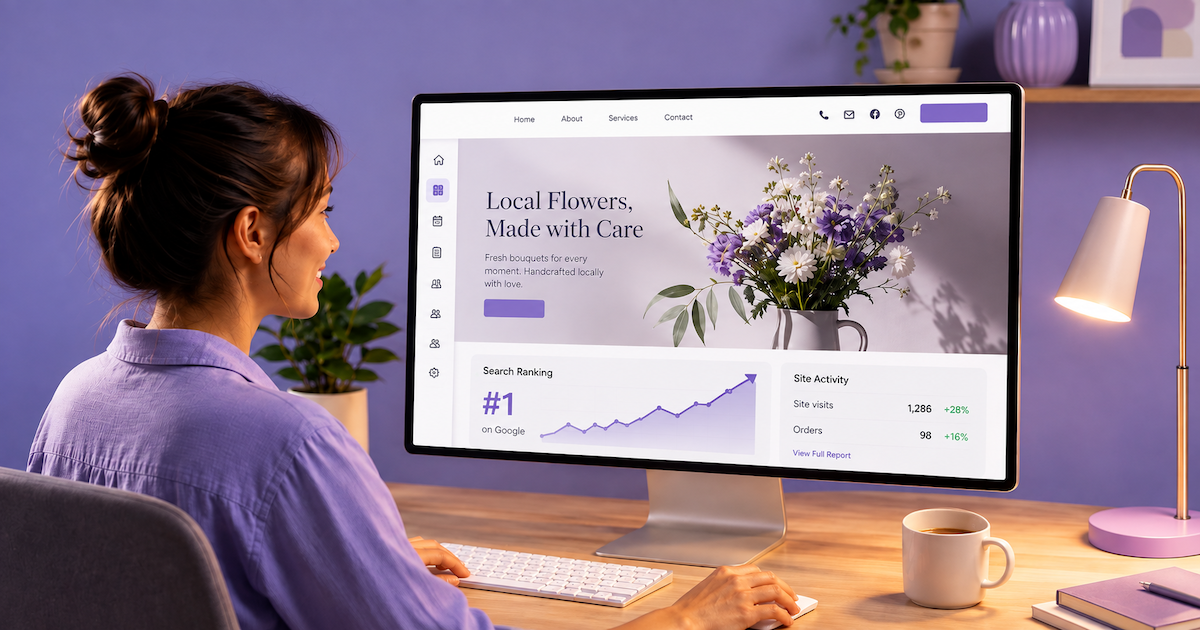
Wix gives small businesses a strong foundation for building and optimizing a website without requiring extensive technical knowledge. Its SEO toolkit covers keyword research, metadata, structured data, redirects, indexing, performance monitoring, and even visibility in AI-powered search platforms.
But having access to SEO tools is only part of the process. Effective Wix SEO optimization still requires choosing the right keywords, knowing which pages to prioritize, monitoring performance, understanding competitors, and continuously improving your strategy.
This guide explains what Wix already provides for SEO, how to optimize a Wix website, how to measure your progress, and how rankingCoach can help turn those capabilities into an ongoing search and digital visibility strategy.
## Table of Contents
1. [What Is Wix?](https://go.rankingcoach.com/en/cms/seo-digital-marketing-wix#what-is-wix)
2. [Wix SEO: Built-In Features and Limitations](https://go.rankingcoach.com/en/cms/seo-digital-marketing-wix#wix-seo-built-in-features-and-limitations)
3. [How to Do SEO on Wix](https://go.rankingcoach.com/en/cms/seo-digital-marketing-wix#how-to-do-seo-on-wix)
4. [How to Track Your Wix SEO Progress](https://go.rankingcoach.com/en/cms/seo-digital-marketing-wix#how-to-track-your-wix-seo-progress)
5. [How rankingCoach Helps Wix Websites](https://go.rankingcoach.com/en/cms/seo-digital-marketing-wix#how-rankingcoach-helps-wix-websites)
6. [Wix SEO: Frequently Asked Questions](https://go.rankingcoach.com/en/cms/seo-digital-marketing-wix#wix-seo-frequently-asked-questions)
7. [Get Started with rankingCoach](https://go.rankingcoach.com/en/cms/seo-digital-marketing-wix#get-started-with-rankingcoach)
## 1. What Is Wix?
Wix is a cloud-based website builder designed to help businesses, entrepreneurs, freelancers, and other users create and manage websites without coding.
The platform combines website creation, hosting, security, e-commerce, marketing, analytics, and other business tools within the same ecosystem. Its visual editors make it possible to build and customize pages without directly managing the underlying website infrastructure.
Wix also provides an extensive native SEO toolkit. Rather than requiring a separate SEO plugin for essential optimization tasks, Wix includes tools for managing metadata, URLs, redirects, structured data, crawling and indexing, Google Search Console data, and other SEO elements directly through the platform.
For small businesses, this means many technical SEO fundamentals are already handled or accessible within Wix. The challenge is therefore less about gaining access to SEO settings and more about using them as part of an effective, ongoing strategy.
## 2. Wix SEO: Built-In Features and Limitations
Wix provides considerably more than basic SEO settings. It combines automated technical SEO with tools that give users control over important on-page and technical elements.
### Wix SEO Setup Checklist and Keyword Research
The Wix SEO Setup Checklist provides personalized steps based on information about your business, location, and target keywords.
It guides you through important Wix SEO setup tasks and can help you connect your website to Google Search Console. Wix also provides keyword research functionality to help identify potential search terms for your website.
Wix’s SEO Assistant can provide additional recommendations related to content, structure, and SEO attributes.
### SEO Titles, Descriptions, and Meta Tags
Wix automatically generates SEO-friendly meta tags while allowing you to customize important elements such as:
- Title tags
- Meta descriptions
- Open Graph tags
- Robots meta tags
- Additional custom meta tags
SEO Settings can also be managed by page type, making it easier to apply optimization rules across larger websites rather than editing every page individually.
Write titles and descriptions that accurately explain the content of each page. Include relevant keywords naturally where they help potential visitors understand what the page offers.
### URLs and Redirects
Wix lets you customize URL slugs and provides controls for URL structures on supported page types.
When URLs change, Wix can automatically update relevant SEO elements and create redirects. Its URL Redirect Manager also supports individual, group, and bulk 301 redirects.
This gives Wix users useful control when reorganizing or updating an existing website.
### Structured Data
Wix automatically adds structured data to supported content types such as products, events, and blog posts.
More advanced users can also modify Wix’s structured-data presets, add custom structured data, and apply multiple markups to supported page types.
This provides a combination of automatic implementation for less technical users and additional customization when needed.
### Crawling and Indexing
Wix automatically creates and maintains XML sitemaps and provides an editable robots.txt file.
Users can also customize canonical tags and robots meta tags to provide search engines with additional crawling and indexing instructions.
Wix’s Site Inspection tool uses Google Search Console data to help identify discoverability and indexing issues across website pages.
### Website Performance and Images
Wix manages much of the underlying website infrastructure automatically and provides features designed to support website performance.
Images can be automatically resized, compressed, and converted to modern formats where supported.
You should still review the performance of important pages, particularly if they contain many images, videos, third-party apps, or other resource-intensive elements.
### Google Search Console and Analytics
Wix integrates with Google Search Console and can surface search-performance information through its SEO tools.
This can help you monitor:
- Search impressions
- Clicks
- Search queries
- Traffic changes
- Indexing information
Wix Analytics provides additional information about how visitors interact with your website, while external analytics platforms can also be connected.
### Google Business Profile
Local businesses can create or connect a Google Business Profile through Wix.
This gives businesses additional tools for managing how they appear on Google Search and Maps, interacting with customers, working with reviews, and monitoring their local presence.
### AI Visibility
Wix has also expanded beyond traditional search monitoring with AI Visibility. Its tools can provide information about how a website or brand appears across AI-powered platforms such as ChatGPT, Gemini, and Perplexity, as well as insights into AI-driven traffic.
### Where Wix SEO Becomes More Limited
Wix therefore provides a strong combination of technical SEO controls, optimization guidance, analytics, and automation.
The main challenge isn’t necessarily missing SEO functionality. It’s turning all these capabilities into a consistent strategy.
Businesses still need to determine:
- Which keywords offer the best opportunities
- Which pages deserve priority
- How strategically important keyword rankings change over time
- Where competitors are gaining visibility
- Which optimization opportunities deserve attention first
- How their website fits into their broader online presence
- Whether their SEO work is contributing to meaningful business results
This is where SEO for Wix websites moves beyond configuring individual settings and becomes an ongoing process.
## 3. How to Do SEO on Wix
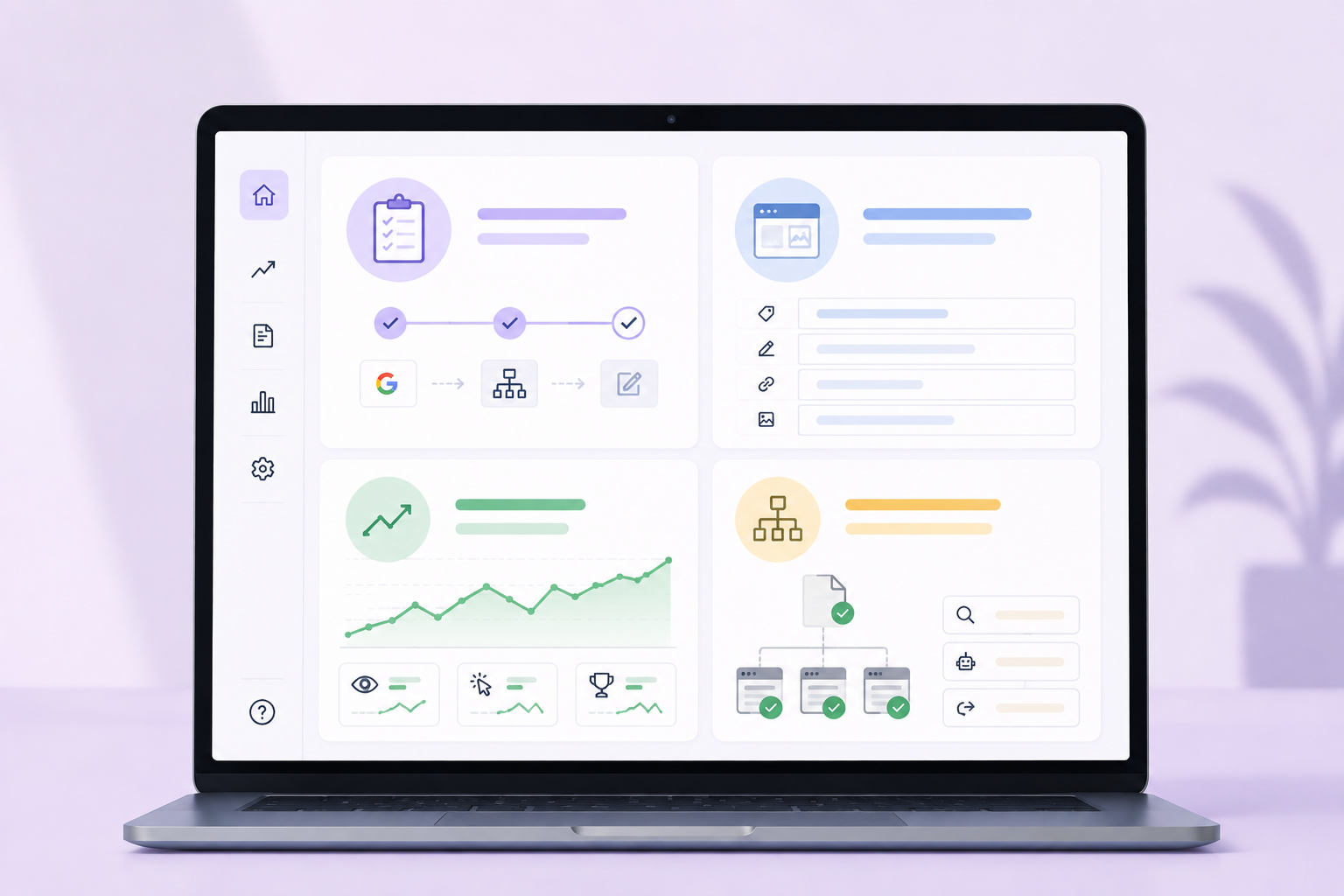
Wix handles much of the technical foundation, allowing you to focus on the strategy, content, and optimization decisions that can improve your visibility.
### Start With Keyword Research
Before optimizing a page, understand what potential customers actually search for.
Wix provides keyword research functionality that can support this process. But don’t choose keywords based on search volume alone. Consider relevance, search intent, competition, and how closely each term matches what your business offers.
Look for searches around:
- Your products or services
- Customer problems and needs
- Your location
- Frequently asked questions
- Purchase intentions
- Topics related to your expertise
Then match relevant keywords with appropriate pages instead of trying to target the same search terms across your entire website.
**Not sure which keywords or pages to prioritize?**
**[Let rankingCoach guide your next SEO steps →](https://www.rankingcoach.com/en-us/seo)**
### How to Add Keywords to Your Wix Website
You don’t need to add keywords to a special keyword field for Google. Instead, use the keywords you have researched naturally in the parts of each page that help visitors and search engines understand its topic.
Consider relevant keywords when writing your:
- SEO title and description
- Main page heading
- Supporting headings
- Body content
- URL slug
- Image alt text, where the keyword accurately describes the image
Focus each important page on a clear search intent. Avoid repeating the same keyword unnecessarily or forcing it into elements where it doesn’t fit naturally.
### Optimize Important Pages Around a Clear Topic
Each important page should have a specific purpose.
Your homepage can introduce your overall business, while service, product, category, and informational pages can focus on more specific topics.
Make that purpose clear through the page’s headings, content, images, metadata, URL, and internal links.
Rather than following a rigid keyword-placement formula, concentrate on creating a page that answers the searcher’s needs clearly and comprehensively.
How to Edit Body Headlines on Wix Subpages
### Use Wix’s SEO Settings
Review the SEO settings of your important pages instead of relying entirely on automatically generated values.
Pay particular attention to:
- SEO titles
- Meta descriptions
- URL slugs
- Indexability
- Canonical tags where necessary
- Structured data where relevant
- Social sharing settings
For websites with many similar pages, Wix’s page-type SEO settings can help apply consistent rules at scale.
How to edit the meta description of a Wix page
### Create Content Around Customer Questions
SEO isn’t limited to your homepage and main service or product pages.
Potential customers search for information throughout their decision-making process. Useful content can help your business appear for those searches before someone is ready to buy.
Depending on your business, this could include:
- How-to articles
- Buying guides
- Service explanations
- Frequently asked questions
- Comparisons
- Local information
- Advice based on your expertise
Focus on answering genuine customer questions rather than publishing content simply to target additional keywords.
### Build a Clear Website Structure
Keep your most important pages easy to reach through your navigation and connect related content with internal links.
For example, an informational article can link to a relevant service or product page, while that commercial page can link to supporting information where useful.
A clear structure makes it easier for visitors and search engines to understand how your content fits together.
### Optimize Your Images
Wix automatically handles several aspects of image optimization, but you should still:
- Choose useful, relevant images
- Add descriptive alt text where appropriate
- Avoid unnecessarily large source files
- Make sure images contribute meaningfully to the page
Alt text should describe the image for users who cannot see it. Include a keyword only when it genuinely helps describe the visual content.
### Review Technical SEO When Necessary
Wix handles many technical elements automatically, but its more advanced controls become useful when your website grows or becomes more complex.
Use Site Inspection and Search Console data to identify indexing problems. Review redirects after changing established URLs, and use canonical, robots, or structured-data controls when there is a genuine reason to override Wix’s defaults.
The goal isn’t to change technical settings simply because they are available.
### Keep Improving Existing Pages
SEO doesn’t end when a page is published.
Review important pages periodically to see whether they are gaining visibility. Update outdated information, improve weak content, strengthen internal links, and investigate pages that receive impressions but struggle to attract clicks.
An existing page that already has some search visibility can sometimes offer a better optimization opportunity than creating another page from scratch.
## 4. How to Track Your Wix SEO Progress

Good Wix SEO optimization requires more than making changes to your website. You also need to understand whether those changes are actually improving your visibility and attracting relevant visitors.
### Use Google Search Console
Google Search Console helps you understand how your Wix website performs in Google Search.
Monitor:
- Search queries
- Impressions
- Clicks
- Average positions
- Indexing
- Search-performance trends
Focus on longer-term patterns rather than reacting to normal daily fluctuations.
A page receiving many impressions but relatively few clicks, for example, may be worth reviewing to see whether its title and description accurately communicate what the page offers.
### Use Wix Site Inspection
Wix Site Inspection can help identify discoverability and indexing issues affecting your pages.
Use it to investigate pages that aren’t appearing in Google as expected before making unnecessary changes elsewhere on your website.
### Monitor Website Traffic and Engagement
Search visibility is most useful when it brings relevant visitors to your business.
Use Wix Analytics or your connected analytics platform to understand:
- Which pages attract organic visitors
- How traffic changes over time
- Which landing pages perform well
- What visitors do after reaching your website
- Whether visitors complete meaningful actions
### Track Important Keyword Rankings
Search Console provides valuable search-performance information, but dedicated keyword tracking can give you a more focused view of the searches that matter most to your strategy.
Monitoring selected keywords over time makes it easier to identify:
- Ranking improvements
- Ranking losses
- Pages gaining visibility
- Keywords that need additional work
- New opportunities
Avoid relying on manual Google searches as your main ranking method because results can vary based on factors such as location and personalization.
**Want a clearer view of how your most important keywords are performing?**
**[Track your SEO progress with rankingCoach →](https://www.rankingcoach.com/en-us/seo)**
### Monitor Your Competitors
Your own performance only tells part of the story.
Competitor monitoring can reveal which businesses compete with you for important searches, where they are outperforming you, and where new keyword or content opportunities may exist.
This context can help you decide where your SEO efforts are most likely to make a difference.
### Monitor AI Visibility
Traditional search engines are no longer the only place where customers discover businesses.
Wix provides tools for monitoring visibility across AI-powered platforms. Include these insights alongside traditional search metrics when relevant to your business.
Search rankings, website traffic, competitors, AI visibility, and conversions each show a different part of your overall performance.
## 5. How rankingCoach Helps Wix Websites
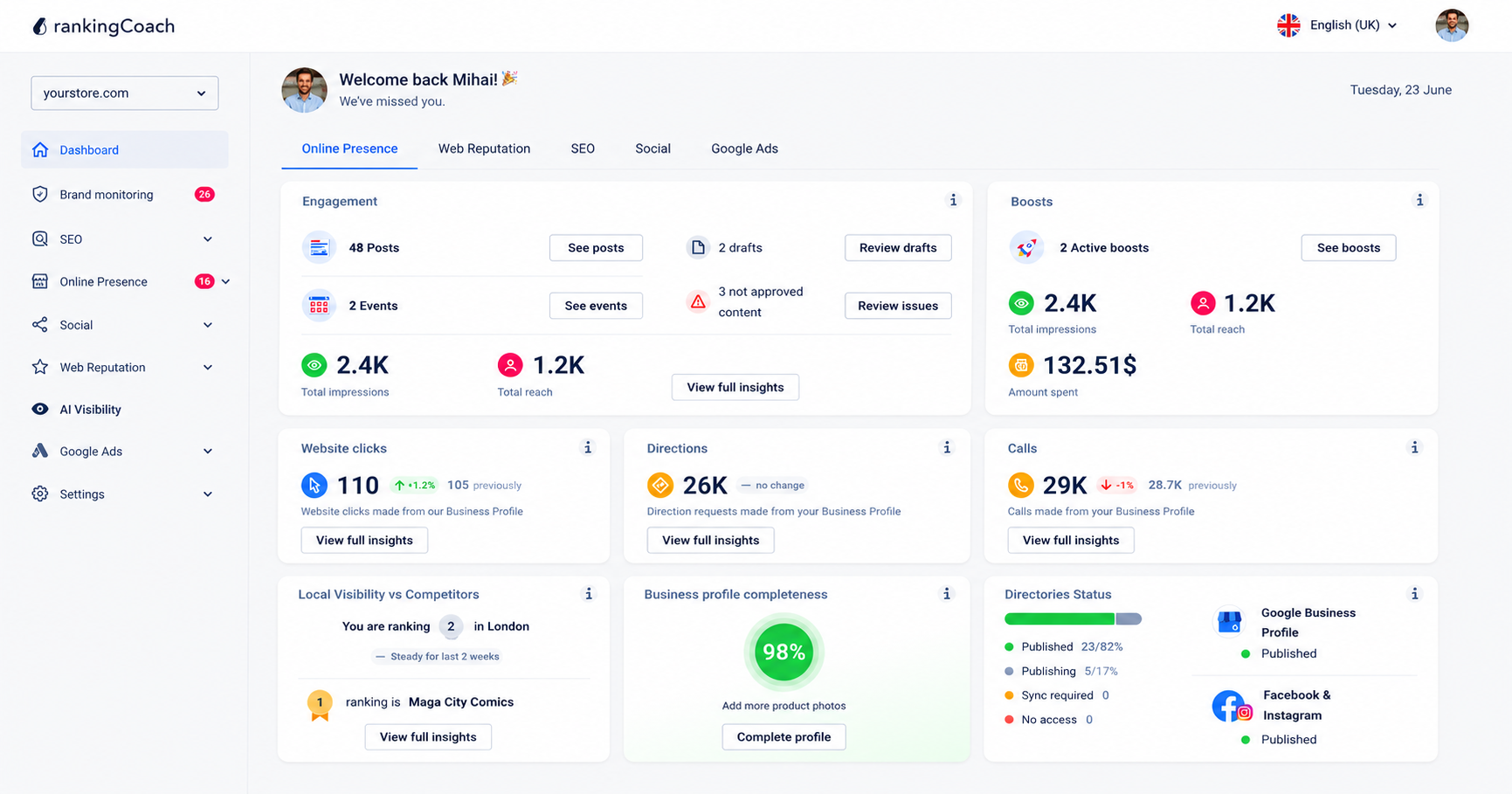
rankingCoach works alongside Wix and other CMSs and website builders, adding AI-powered guidance, competitive insights, and a broader view of your digital presence to help you decide what to improve next.
- **Build a smarter SEO strategy:** Find relevant opportunities with the AI Keyword Builder, optimize pages with the AI Content Optimizer, scan your site for issues, and follow clear SEO tasks and progress.
- **Stay ahead of competitors:** Use competitor backlink insights to uncover opportunities and strengthen your SEO strategy.
- **Improve your visibility in Google and AI search:** Monitor your presence across traditional and AI-powered search, helping you understand how your business is being discovered as search evolves.
- **Grow beyond SEO:** Create social content, manage and respond to reviews with AI assistance, and support your wider marketing across local listings, reputation, social media, Google Ads, and brand monitoring.
Instead of managing SEO in isolation, rankingCoach helps you connect website optimization, AI visibility, local presence, reputation, social media, and advertising in one place — without tying your strategy to a particular CMS or website builder. All major Content Management Systems (CMSs) are supported by rankingCoach, making your optimization plan the perfect fit for your system.
**Ready to get more from your Wix website and digital presence?**
**[Grow your visibility with rankingCoach →](https://www.rankingcoach.com/en-us/features)**
## 6. Wix SEO: Frequently Asked Questions
**How do I change my URL in Wix?**
You can change the URL slug for a page through its SEO settings in Wix. Keep URLs short, descriptive, and relevant to the page. Be more careful when changing the URL of an existing page because links may already point to the old address. Wix provides redirect functionality to help send visitors and search engines from an old URL to its replacement.
**How do I add meta tags to my Wix website?**
Wix automatically generates important meta tags and also lets you customize them. For individual pages, you can edit SEO elements such as the title tag and meta description through the page’s SEO settings. Wix also provides SEO Settings for managing patterns across page types and options for adding additional custom meta tags when needed.
**How do I improve my Wix SEO?**
Focus on improving your content, website structure, search performance, and overall strategy rather than simply changing individual SEO settings. Target relevant searches, create useful content, strengthen important existing pages, build internal links, review indexing and performance data, and monitor how your rankings develop. Competitor monitoring can also help reveal keywords and content opportunities you may have missed.
**Does rankingCoach work with Wix?**
Yes. rankingCoach works alongside Wix websites through the rankingCoach platform. All major Content Management Systems (CMSs) are supported by rankingCoach, making your optimization plan the perfect fit for your system. Create or sign in to your rankingCoach account and follow the onboarding process. rankingCoach analyzes your website and provides personalized SEO tasks and guidance to help you improve your search visibility.
**What can rankingCoach add to Wix’s built-in SEO tools?**
rankingCoach complements Wix with AI-powered SEO guidance, keyword and content optimization, site scans, clear SEO tasks, and competitor insights. Beyond SEO, it also helps manage local listings, reputation, social media, Google Ads, and brand monitoring from one platform.
## 7. Get Started with rankingCoach
Wix gives small businesses a strong SEO foundation, with sophisticated tools for optimizing website content, technical SEO, indexing, analytics, and search visibility.
The next step is turning those capabilities and insights into a continuous strategy.
rankingCoach analyzes your website and helps you identify which SEO opportunities deserve attention. You can work through personalized optimization tasks, monitor important keyword rankings, keep an eye on competitors, and, depending on your plan, manage additional areas of your digital presence.
And because rankingCoach works alongside different CMSs and website builders, your SEO and digital marketing strategy doesn’t have to depend on one particular website platform.
Create or sign in to your rankingCoach account and follow the onboarding process to get started.
**Ready to take the next step with your SEO?**
**[Get started with rankingCoach →](https://www.rankingcoach.com/en-us/seo)**
- - Features
- [Local Marketing](https://www.rankingcoach.com/en-us/local-marketing?utm_source=rc_blog)
- [Google Ads](https://www.rankingcoach.com/en-us/google-ads?utm_source=rc_blog)
- [Search Engine Optimization (SEO)](https://www.rankingcoach.com/en-us/seo?utm_source=rc_blog)
- [Reputation management](https://www.rankingcoach.com/en-us/local-marketing?utm_source=rc_blog)
- [Social Media Monitoring](https://www.rankingcoach.com/en-us/features?utm_source=rc_blog)
- [Brand Monitoring](https://www.rankingcoach.com/en-us/features?utm_source=rc_blog)
- - About
- [Legal Notice](https://www.rankingcoach.com/en-us/legal-notice?utm_source=rc_blog)
- [Terms and Conditions](https://www.rankingcoach.com/en-us/terms-and-conditions?utm_source=rc_blog)
- [Privacy Policy](https://www.rankingcoach.com/en-us/privacy-policy?utm_source=rc_blog)
- [Cancellation and Refund](https://www.rankingcoach.com/en-us/cancellation-refund-policy)
- [About Us](https://www.rankingcoach.com/en-us/about-us?utm_source=rc_blog)
- [Glossary](https://knowledge.rankingcoach.com/en)
- [Press](https://go.rankingcoach.com/en/pr)
- [Privacy & Cookie Settings](https://www.rankingcoach.com/en-us#)
- - Help
- [Help Center](https://help.rankingcoach.com/en?utm_source=rc_blog)
- [Contact](https://www.rankingcoach.com/en-us/contact?utm_source=rc_blog)
- Careers
- [We are hiring](https://www.linkedin.com/company/rankingcoach/jobs/?utm_source=rc_blog)
- - Digital Marketing Guides
- [Search Engine Marketing](https://www.rankingcoach.com/en-us/search-engine-marketing)
- [Search Engine Optimization](https://www.rankingcoach.com/en-us/search-engine-optimization)
- [Social Media Marketing](https://www.rankingcoach.com/en-us/social-media-marketing)
- [Email Marketing](https://www.rankingcoach.com/en-us/email-marketing)
- [User Experience (UX)](https://www.rankingcoach.com/en-us/user-experience-in-digital-marketing)
- [Review Management](https://www.rankingcoach.com/en-us/review-management)
- - rankingCoach is specially tailored for the following CMSs:
- [WordPress](https://go.rankingcoach.com/en/cms/seo-digital-marketing-wordpress)
- [Drupal](https://go.rankingcoach.com/en/cms/seo-digital-marketing-drupal)
- [Joomla 3.2](https://go.rankingcoach.com/en/cms/seo-digital-marketing-joomla)
- [Magento](https://go.rankingcoach.com/en/cms/seo-digital-marketing-magento)
- [Shopify](https://go.rankingcoach.com/en/cms/seo-digital-marketing-shopify)
- [Squarespace](https://go.rankingcoach.com/en/cms/seo-digital-marketing-squarespace)
- [Webs](https://go.rankingcoach.com/en/cms/seo-digital-marketing-webs)
- [Wix](https://go.rankingcoach.com/en/cms/seo-digital-marketing-wix)
- [Weebly](https://go.rankingcoach.com/en/cms/seo-digital-marketing-weebly)
- [Duda](https://go.rankingcoach.com/en/cms/seo-digital-marketing-duda)
- [PrestaShop 1.6](https://go.rankingcoach.com/en/cms/seo-digital-marketing-prestashop)
- [1&1 MyWebsite](https://go.rankingcoach.com/en/cms/seo-digital-marketing-11-mywebsite)
- [Jimdo](https://go.rankingcoach.com/en/cms/seo-digital-marketing-jimdo)
- [Opencart](https://go.rankingcoach.com/en/cms/seo-digital-marketing-opencart)

-
-
-
```json
{
"@context" : "https://schema.org",
"@type" : "VideoObject",
"contentUrl" : "https://8411010.fs1.hubspotusercontent-eu1.net/hubfs/8411010/video_assets/477057559745/inherited/web_optimized.mp4",
"dateModified" : "2026-09-23T11:44:12.637Z",
"description" : "See how to structure and edit your body headlines on Wix subpages",
"duration" : "PT1M35.367S",
"height" : 1080,
"name" : "en_wix_subpage_body_headlines",
"thumbnailUrl" : "https://8411010.fs1.hubspotusercontent-eu1.net/hubfs/8411010/en_wix_subpage_body_headlines.mp4/medium.jpg",
"uploadDate" : "2026-09-23T11:42:51.980Z",
"width" : 1920
}
```
```json
{
"@context" : "https://schema.org",
"@type" : "VideoObject",
"contentUrl" : "https://8411010.fs1.hubspotusercontent-eu1.net/hubfs/8411010/video_assets/477058491607/inherited/web_optimized.mp4",
"dateModified" : "2026-09-23T11:53:04.170Z",
"description" : "A short walkthrough of adding and editing meta description on Wix websites.",
"duration" : "PT1M8.067S",
"height" : 1080,
"name" : "en_wix_meta_description",
"thumbnailUrl" : "https://8411010.fs1.hubspotusercontent-eu1.net/hubfs/8411010/en_wix_meta_description.mp4/medium.jpg",
"uploadDate" : "2026-09-23T11:50:38.818Z",
"width" : 1920
}
```
```json
{
"@context" : "https://schema.org",
"@type" : "FAQPage",
"mainEntity" : [ {
"@type" : "Question",
"acceptedAnswer" : {
"@type" : "Answer",
"text" : "You can change the URL slug for a page through its SEO settings in Wix. Keep URLs short, descriptive, and relevant to the page. Be more careful when changing the URL of an existing page because links may already point to the old address. Wix provides redirect functionality to help send visitors and search engines from an old URL to its replacement."
},
"name" : "How do I change my URL in Wix?"
}, {
"@type" : "Question",
"acceptedAnswer" : {
"@type" : "Answer",
"text" : "Wix automatically generates important meta tags and also lets you customize them. For individual pages, you can edit SEO elements such as the title tag and meta description through the page’s SEO settings. Wix also provides SEO Settings for managing patterns across page types and options for adding additional custom meta tags when needed."
},
"name" : "How do I add meta tags to my Wix website?"
}, {
"@type" : "Question",
"acceptedAnswer" : {
"@type" : "Answer",
"text" : "Focus on improving your content, website structure, search performance, and overall strategy rather than simply changing individual SEO settings. Target relevant searches, create useful content, strengthen important existing pages, build internal links, review indexing and performance data, and monitor how your rankings develop. Competitor monitoring can also help reveal keywords and content opportunities you may have missed."
},
"name" : "How do I improve my Wix SEO?"
}, {
"@type" : "Question",
"acceptedAnswer" : {
"@type" : "Answer",
"text" : "Yes. rankingCoach works alongside Wix websites through the rankingCoach platform. Create or sign in to your rankingCoach account and follow the onboarding process. rankingCoach analyzes your website and provides personalized SEO tasks and guidance to help you improve your search visibility. All major Content Management Systems (CMSs) are supported by rankingCoach, making your optimization plan the perfect fit for your system."
},
"name" : "Does rankingCoach work with Wix?"
}, {
"@type" : "Question",
"acceptedAnswer" : {
"@type" : "Answer",
"text" : "rankingCoach complements Wix with AI-powered SEO guidance, keyword and content optimization, site scans, clear SEO tasks, and competitor insights. Beyond SEO, it also helps manage local listings, reputation, social media, Google Ads, and brand monitoring from one platform."
},
"name" : "What can rankingCoach add to Wix’s built-in SEO tools?"
} ]
}
```
```json
{
"@context" : "https://schema.org",
"@type" : "SoftwareApplication",
"applicationCategory" : "BusinessApplication",
"name" : "rankingCoach",
"operatingSystem" : "Web"
}
```