
PrestaShop SEO: A Complete Guide to Ranking Your PrestaShop Store
PrestaShop is a widely used open-source ecommerce platform. It gives you direct control over your meta tags, URL structure, and redirects, but some more advanced SEO functionality may require additional modules or configuration.
This guide covers how PrestaShop SEO works, what you need to configure manually, and how rankingCoach helps you track and grow your rankings on a PrestaShop store.
Table of Contents
- What Is PrestaShop?
- PrestaShop SEO: Built-In Features and Limitations
- How to Do SEO on a PrestaShop Store
- How to Track Your SEO Progress on PrestaShop
- How rankingCoach Helps PrestaShop Users
- FAQ
- Get Started with rankingCoach
1. What Is PrestaShop?
PrestaShop is an open-source ecommerce platform founded in 2007 in France. It is built on PHP and the Symfony framework, and it is free to download and self-host. The platform targets small and medium-sized businesses that want full control over their store without a subscription to a hosted ecommerce service. Because it is self-hosted, you are responsible for choosing and managing your own web hosting, keeping the software updated, and installing the modules your store needs.
PrestaShop has a large marketplace of add-on modules that extend core functionality, including SEO, analytics, payments, and shipping. The platform supports multiple languages and currencies natively, making it a common choice for merchants selling across multiple countries.
PrestaShop 9.0 was released in June 2025 and introduced several changes relevant to SEO, including cleaner product URLs, improved redirect control, and better handling of filtered pages.
2. PrestaShop SEO: Built-In Features and Limitations
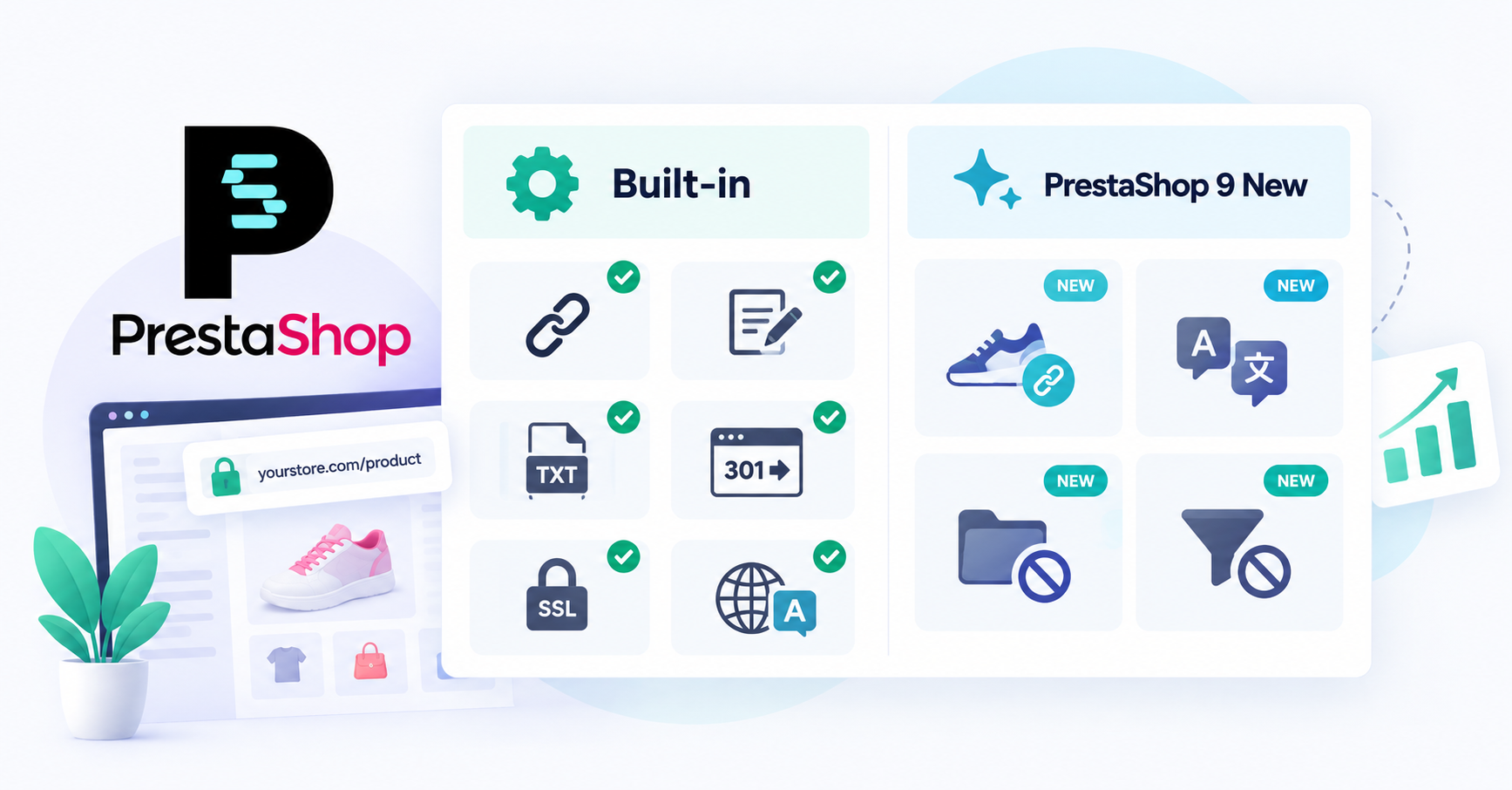
PrestaShop gives store owners direct control over many everyday SEO settings, while more advanced functionality is available through its module ecosystem.
What PrestaShop handles natively
- Meta titles and meta descriptions (per page, via admin)
- Friendly URL slugs
- Robots.txt generator
- 301 and 302 redirects per page
- SSL certificate toggle (HTTPS sitewide)
- Multilingual URL support
- Advanced canonical control for complex URL variations
- Redirect control for inactive categories (PrestaShop 9)
- Filtered page exclusion from indexing (PrestaShop 9)
What requires a module
- Schema markup and rich snippets
- Advanced XML sitemap functionality
- Advanced structured data management
- Stores with complex navigation may still need additional canonicalization controls
- Hreflang tags for international SEO
- Google Search Console integration
- Bulk meta tag management
- Image alt tag automation
PrestaShop 9 SEO improvements
PrestaShop 9.0, released in June 2025, introduced four changes relevant to search engine optimization:
- Cleaner product URLs: the category segment is removed from product URLs by default, creating shorter and simpler product URLs.
- Language prefix removal: a new toggle lets you remove the language prefix from URLs, avoiding unnecessary redirects when adding a new language to your store.
- Redirect control for inactive categories: inactive categories can now be assigned 301 or 302 redirects natively, without a module.
- Filtered page exclusion: filtered product listing pages are excluded from search engine indexing by default, reducing duplicate content risk.
Where additional attention is needed
XML sitemap setup
PrestaShop supports XML sitemap generation through sitemap functionality/modules available for the platform. Configure your sitemap to include the products, categories, and pages you want search engines to discover, keep it updated as your store changes, and submit it to Google Search Console.
Duplicate content and canonical URLs
Filters, pagination, product attributes, and other URL variations can create multiple URLs with very similar content. PrestaShop supports canonical URLs, but stores with complex navigation may still need additional configuration or modules to control how these URL variations are handled. PrestaShop 9 improves the handling of filtered pages, helping reduce duplicate-content and indexing issues.
Limited structured data
PrestaShop's native structured data capabilities are limited. Stores that want more complete product information to be understood by search engines, including price, availability, and reviews, may need a dedicated schema module.
Performance can decline as your store grows
Themes, product images, tracking scripts, and additional modules can increase page weight and loading time. Because site performance affects both users and SEO, larger PrestaShop stores need to monitor speed and Core Web Vitals as they grow.
Default metadata needs optimization
PrestaShop can generate metadata automatically, but relying on generic defaults means missing an important opportunity to make individual product and category pages more relevant to their target searches. Important pages should have unique, optimized titles and descriptions.
3. How to Do SEO on a PrestaShop Store
Once you understand the platform's limitations, the next step is configuring the SEO elements you can control. Start with your most important product and category pages before working through the rest of your store.
Find your SEO settings
Go to Shop Parameters > Traffic & SEO > SEO & URLs. This is where you can manage important page-level SEO settings, including metadata, URLs, and redirects.
Enable friendly URLs
Turn on friendly URLs to replace default numeric URLs with readable, descriptive slugs. Your server needs to support URL rewriting for this feature to work correctly.
Write unique page titles and meta descriptions
Create a unique title and meta description for every important product, category, and CMS page. Keep titles concise and include the primary keyword naturally. Meta descriptions should accurately summarize what users will find on the page and encourage relevant searchers to click.
How to edit the meta description of a Prestashop page
Optimize URL slugs
Review automatically generated product and category URLs before publishing. Keep them short, descriptive, lowercase, and relevant to the page topic. Avoid unnecessary words and complicated URL structures.
Redirect changed or deleted URLs
When you remove a page or change its URL, redirect the old address to the most relevant alternative. This prevents visitors from landing on broken pages and helps preserve existing search signals.
Create and submit your XML sitemap
Configure an XML sitemap containing the products, categories, and pages you want search engines to discover. Keep it updated as your store changes and submit the sitemap through Google Search Console.
Add structured data
Use an appropriate structured data solution for important ecommerce information such as product prices, availability, and reviews. Test your implementation to make sure search engines can interpret it correctly.
Optimize product images
Give important product images descriptive alt text and compress large files before uploading them. This improves accessibility while helping search engines understand your images and keeping pages faster.
Build internal links
Connect related products, categories, guides, and other useful pages with descriptive internal links. This helps visitors discover relevant content and gives search engines a clearer picture of your store structure.
4. How to Track Your SEO Progress on PrestaShop
PrestaShop does not include a built-in keyword rank tracker or SEO reporting dashboard. For ongoing performance tracking, you need external tools.
Google Search Console
Verify your store using an HTML tag, DNS record, or file upload, then submit your XML sitemap. Search Console gives you data on indexed pages, keyword impressions, click-through rates, average position, and crawl errors.
Google Analytics
Use Google Analytics to understand what visitors do after reaching your store. Monitor organic landing pages, engagement, conversions, and revenue to determine whether increased search visibility is attracting visitors who take action.
Keyword rankings
Search Console provides average position data, but dedicated rank tracking makes it easier to follow individual target keywords consistently over time. Track important product and category searches and focus on longer-term movement rather than individual daily fluctuations.
Competitor performance
Your own traffic and ranking data only show part of the picture. Monitoring competing stores can help reveal keywords and search opportunities you are currently missing.
rankingCoach gives you step-by-step SEO tasks with instructions and video tutorials tailored to PrestaShop, so you know exactly where to apply each fix.
Track your rankings and see what's working →
5. How rankingCoach Helps PrestaShop Users
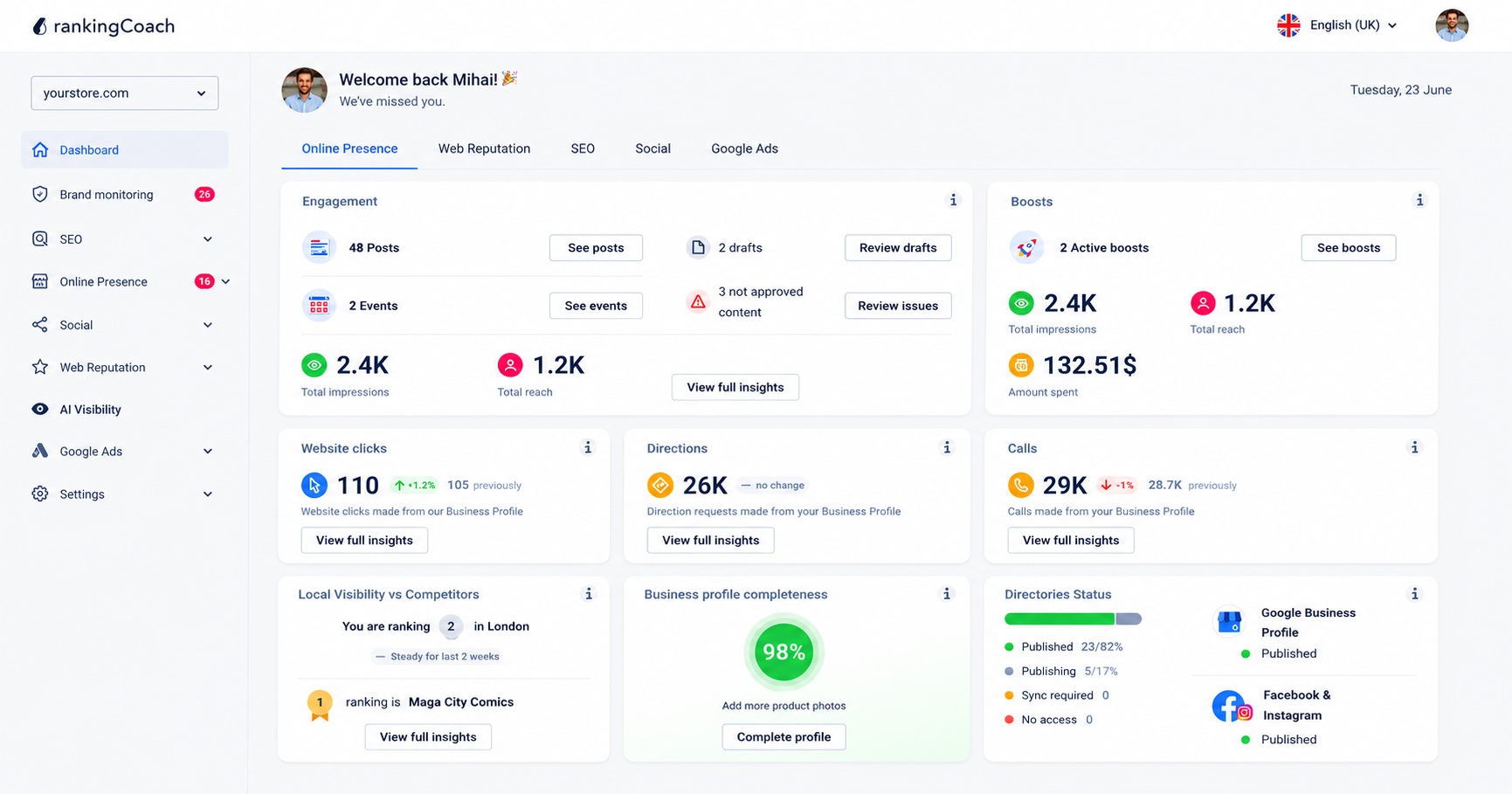
Growing organic traffic for a PrestaShop store takes more than on-page optimization. You need to know where you rank, what your competitors are doing, and whether your business is visible across every place customers look. rankingCoach brings all of that into one platform, working alongside your PrestaShop store without any installation in your admin.
rankingCoach is an all-in-one AI marketing platform for small and medium-sized businesses. All major Content Management Systems (CMSs) are supported by rankingCoach, making your optimization plan the perfect fit for your system. Create or sign in to your rankingCoach account and follow the onboarding process, selecting PrestaShop as your CMS when prompted. rankingCoach then analyzes your website and provides personalized SEO tasks with written instructions and video tutorials tailored to PrestaShop.
You always know exactly what to optimize and where to find the right setting, without needing an SEO agency or developer.
Beyond SEO, rankingCoach 360 includes local listing management, reputation management, brand monitoring, social media publishing, Google Ads, and AI Visibility, all from one dashboard. The AI Agent automates routine optimization tasks across all these channels so your site keeps improving without constant manual effort.
Key features for PrestaShop users
- Keyword rank tracking: Monitor where your PrestaShop store ranks for your target keywords and track movement over time.
- Competitor monitoring: See how your store compares to competitors in search results and identify keywords they rank for that you do not.
- Business listings management: Keep your details accurate and consistent across Google, Bing, Facebook, and 30+ directories automatically.
- Review and reputation management: Monitor reviews across platforms and respond quickly with AI-assisted reply suggestions.
- Social media and Google Ads: Publish social media content, schedule posts, and manage Google Ads campaigns from one dashboard.
- AI Visibility: See how AI-powered search platforms like ChatGPT, Perplexity, and Gemini represent your business and where visibility gaps exist.
- AI Agent: Automate routine SEO and marketing tasks across every channel so your site keeps improving without manual effort.
Manage your online visibility in one place →
6. FAQ
What is PrestaShop?
PrestaShop is an open-source, self-hosted ecommerce platform founded in 2007 in France. It is free to download and runs on PHP and the Symfony framework. PrestaShop is a widely used open-source ecommerce platform. The platform is aimed at small and medium-sized businesses that want full control over their online store and supports multiple languages and currencies natively.
What's new in PrestaShop 9 for SEO?
PrestaShop 9.0, released in June 2025, introduced four SEO improvements: Cleaner product URLs: the category segment is removed from product URLs by default, creating shorter and simpler product URLs.
Does rankingCoach work with PrestaShop?
Yes. rankingCoach works alongside PrestaShop without requiring a module or installation in your store’s admin. To get started, create or sign in to your rankingCoach account and follow the onboarding process, selecting PrestaShop as your CMS when prompted.
What does rankingCoach do for PrestaShop SEO?
rankingCoach analyzes your store, tracks your keyword rankings, identifies optimization opportunities, and turns them into a prioritized list of SEO tasks. Each task includes step-by-step instructions and video tutorials tailored to PrestaShop, helping you understand what to optimize and where to make the changes.
Is rankingCoach free for PrestaShop users?
Yes. rankingCoach offers a free plan that includes core SEO tracking and visibility tools. Paid plans unlock advanced AI automation, expanded listings coverage, and additional marketing features. You do not need a plugin or app to get started.
7. Get Started with rankingCoach
Improving your PrestaShop SEO is easier when you know what to work on next. rankingCoach analyzes your store and turns SEO opportunities into a prioritized action plan, with step-by-step instructions and video tutorials tailored to PrestaShop.
All major Content Management Systems (CMSs) are supported by rankingCoach, making your optimization plan the perfect fit for your system. Select PrestaShop during onboarding, connect your website, and start working through the recommendations at your own pace.
Whether you want to improve existing rankings, find new keyword opportunities, or simply get a clearer picture of your store's search visibility, rankingCoach gives you one place to track your progress and decide what to tackle next.