
Joomla SEO: A Complete Guide to Optimizing Your Joomla Site
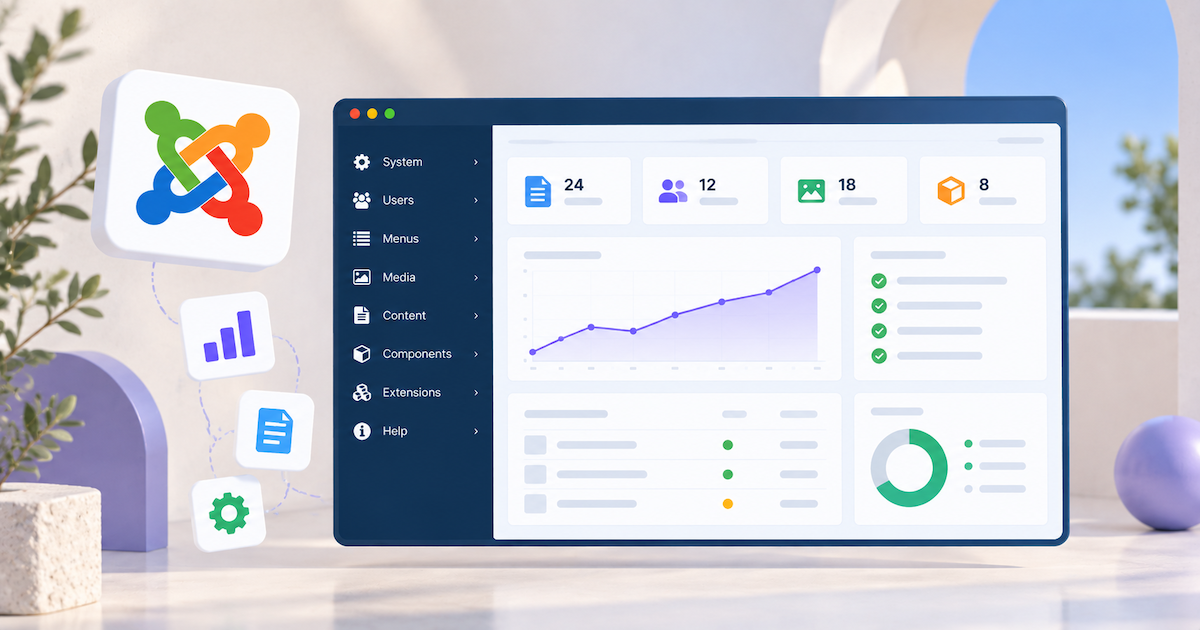
Joomla gives website owners extensive control over site structure, content, and SEO settings, but many important optimizations require deliberate configuration. Features such as search-engine-friendly URLs and metadata are built in, while other SEO requirements may need additional setup or extensions.
This guide explains Joomla’s SEO capabilities and limitations, how to optimize your Joomla site, how to track your results, and how rankingCoach can help you improve your search visibility.
Table of Contents
- What Is Joomla?
- Joomla SEO: Built-In Features and Limitations
- How to Do SEO on Your Joomla Site
- How to Track Your Joomla SEO Progress
- How rankingCoach Helps Joomla Sites
- FAQ
- Get Started with rankingCoach
1. What Is Joomla?
Joomla is a free, open-source content management system first released in 2005. It provides a flexible framework for building websites, membership portals, intranets, and multilingual platforms.
Joomla organizes content through articles, categories, menus, and modules, giving site owners detailed control over content structure and permissions. Its built-in multilingual functionality and Access Control List (ACL) also make it suitable for complex websites with multiple languages or user roles.
Joomla can be extended with templates and extensions, allowing businesses and developers to add functionality beyond what is included in the core platform.
2. Joomla SEO: Built-In Features and Limitations
Joomla provides many useful SEO controls, but several require manual configuration. Understanding what the platform already provides and where additional tools may be needed is an important first step.
What Joomla provides
Joomla includes controls for several important SEO elements:
- Search Engine Friendly (SEF) URLs
- URL rewriting
- Page metadata
- Robots directives
- Canonical URLs
- Image alt text
- Gzip compression
- Responsive templates
- Multilingual website management
- Internal linking and menu management
These features provide a solid foundation, but Joomla does not handle every SEO requirement automatically.
SEF URLs and URL rewriting require attention
Joomla supports Search Engine Friendly URLs natively, and they are enabled by default in modern versions. Additional URL rewriting can remove index.php from URLs, but this requires compatible server configuration. On Apache servers, this typically includes renaming Joomla’s htaccess.txt file to .htaccess and enabling URL rewriting.
URL rewriting also requires additional configuration. Depending on your server setup, this includes enabling URL rewriting and configuring the appropriate server file, such as renaming Joomla’s default htaccess.txt file to .htaccess on Apache.
No native XML sitemap
Joomla does not generate a standard XML sitemap by default. You therefore need an additional solution to generate a sitemap that can be submitted to search engines.
Duplicate URLs require attention
Joomla’s menu and routing system can allow different URL paths to reach the same content. Modern Joomla versions provide additional SEF controls to reduce inconsistent URL variations, but careful menu configuration, redirects, and canonicalization can still be important for complex sites.
Structured data may require additional configuration
Joomla provides Schema.org functionality, but more advanced or specialized structured data requirements may still require additional configuration, an extension, or custom JSON-LD.
Social metadata requires additional tools
Open Graph and other social metadata may require an extension or custom implementation if you want more control over how Joomla pages appear when shared on social platforms.
Joomla has a steeper learning curve
Joomla offers considerable control, but configuring SEO correctly can require familiarity with the Joomla backend, server settings, templates, and extensions. This can make more advanced optimization challenging for users without technical experience.
3. How to Do SEO on Your Joomla Site
Once you understand what Joomla handles and what requires additional configuration, you can start optimizing your site.
Enable SEF URLs and URL rewriting
Check your SEO settings under System > Global Configuration and make sure Search Engine Friendly URLs are enabled. If you also enable URL Rewriting to remove index.php from URLs, confirm that your server is configured to support it. On Apache, you may need to rename Joomla’s htaccess.txt file to .htaccess.
If your site runs on Apache, you may also need to rename Joomla’s default htaccess.txt file to .htaccess so URL rewriting works correctly.
Set page titles and meta descriptions
Create unique and descriptive metadata for your important pages. Joomla allows you to manage metadata through articles and menu items, giving you control over how individual pages can appear in search results.
Write titles that clearly communicate the page topic and use relevant search terms naturally. Meta descriptions should accurately summarize the page and encourage relevant users to click.
Control indexing and duplicate URLs
Review robots directives for pages that should or should not appear in search results, and check that important content is accessible through a consistent URL structure. Joomla’s menu and routing system can sometimes create multiple paths to the same content, so canonical URLs, redirects, and careful menu configuration can help search engines identify the preferred version.
This is particularly important for Joomla sites with more complex menu structures.
Add an XML sitemap
Use a suitable Joomla extension or another sitemap solution to generate an XML sitemap containing the pages you want search engines to discover.
Submit the sitemap URL through Google Search Console and keep it updated as your site changes.
Enable Gzip compression
Joomla includes Gzip page compression. Enabling it can reduce the amount of data transferred between your server and visitors’ browsers and contribute to better page-loading performance.
Use a mobile-responsive template
Make sure your active Joomla template works well across mobile devices. Check important pages at different screen sizes and monitor mobile performance through tools such as Google Search Console and PageSpeed Insights.
Build internal links
Connect related articles and other important pages using descriptive internal links. This helps users discover relevant content while giving search engines a clearer picture of your website structure.
Optimize images
Use appropriately sized and compressed images, descriptive filenames where practical, and meaningful alt text.
Modern image formats such as WebP can also help reduce file sizes and improve page performance.
Use meta keywords appropriately
Joomla still provides a meta keywords field, but Google does not use the meta keywords tag as a ranking signal. Focus your SEO work on page content, titles, descriptions, headings, internal links, and other elements that affect search visibility rather than relying on meta keywords.
With a rankingCoach account, you can receive personalized SEO guidance based on your website and target keywords, helping you understand which optimizations to prioritize.
See how rankingCoach guides your Joomla SEO →
4. How to Track Your Joomla SEO Progress
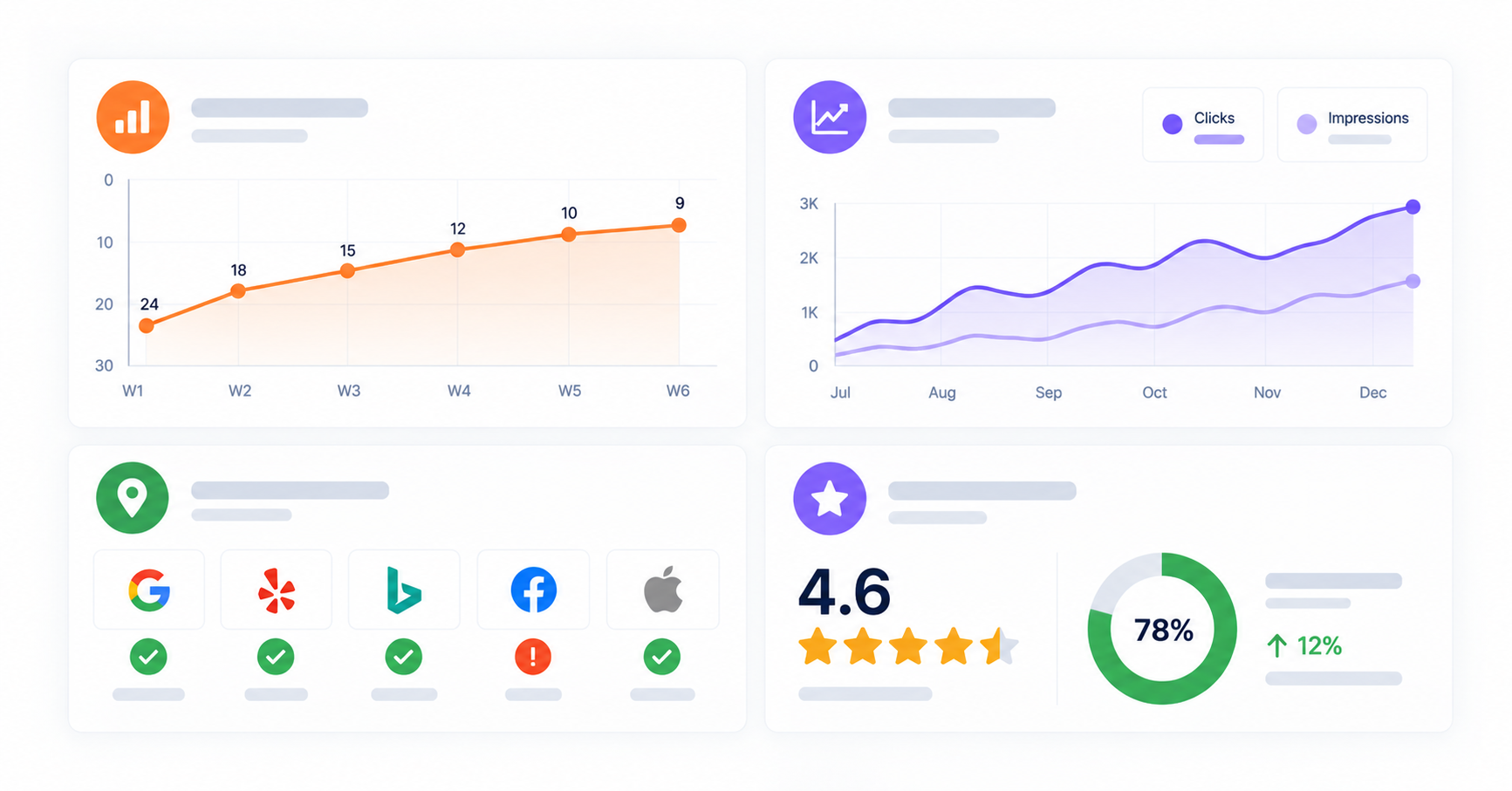
Improving your Joomla SEO is only useful if you can understand how your visibility changes over time. Use several data sources together to measure your performance.
Google Search Console
Connect your Joomla site to Google Search Console to monitor search queries, impressions, clicks, average positions, indexing, and crawl issues.
This provides a direct view of how Google discovers and displays your website.
Keyword rankings
Track your important target keywords over time and focus on longer-term trends rather than individual daily movements. This can help identify pages that are gaining visibility and those that may require additional optimization.
Organic traffic
Use Google Analytics to understand how visitors arriving through organic search interact with your website. Monitor organic landing pages, engagement, and conversions to determine whether increased search visibility is contributing to your business goals.
Competitor performance
Monitoring competitors can provide context that your own search data cannot. Compare keyword visibility and identify searches where competing websites are performing well but your site has room to improve.
Local visibility
If your business has a physical location or serves a local market, monitor your Google Business Profile and the consistency of your business information across relevant directories.
Online reputation
Monitor customer reviews and respond to feedback regularly. Reviews can influence how potential customers perceive your business and are particularly important for businesses competing in local search.
Core Web Vitals
Use Google Search Console and PageSpeed Insights to monitor Core Web Vitals, including loading performance, responsiveness, and visual stability. Pay particular attention to templates or site-wide elements that could affect many Joomla pages at once.
With a rankingCoach account, you can track keyword positions and competitor performance alongside your SEO tasks, helping you connect changes in visibility with the optimizations you are working on.
Explore keyword rank tracking with rankingCoach →
5. How rankingCoach Helps Joomla Sites
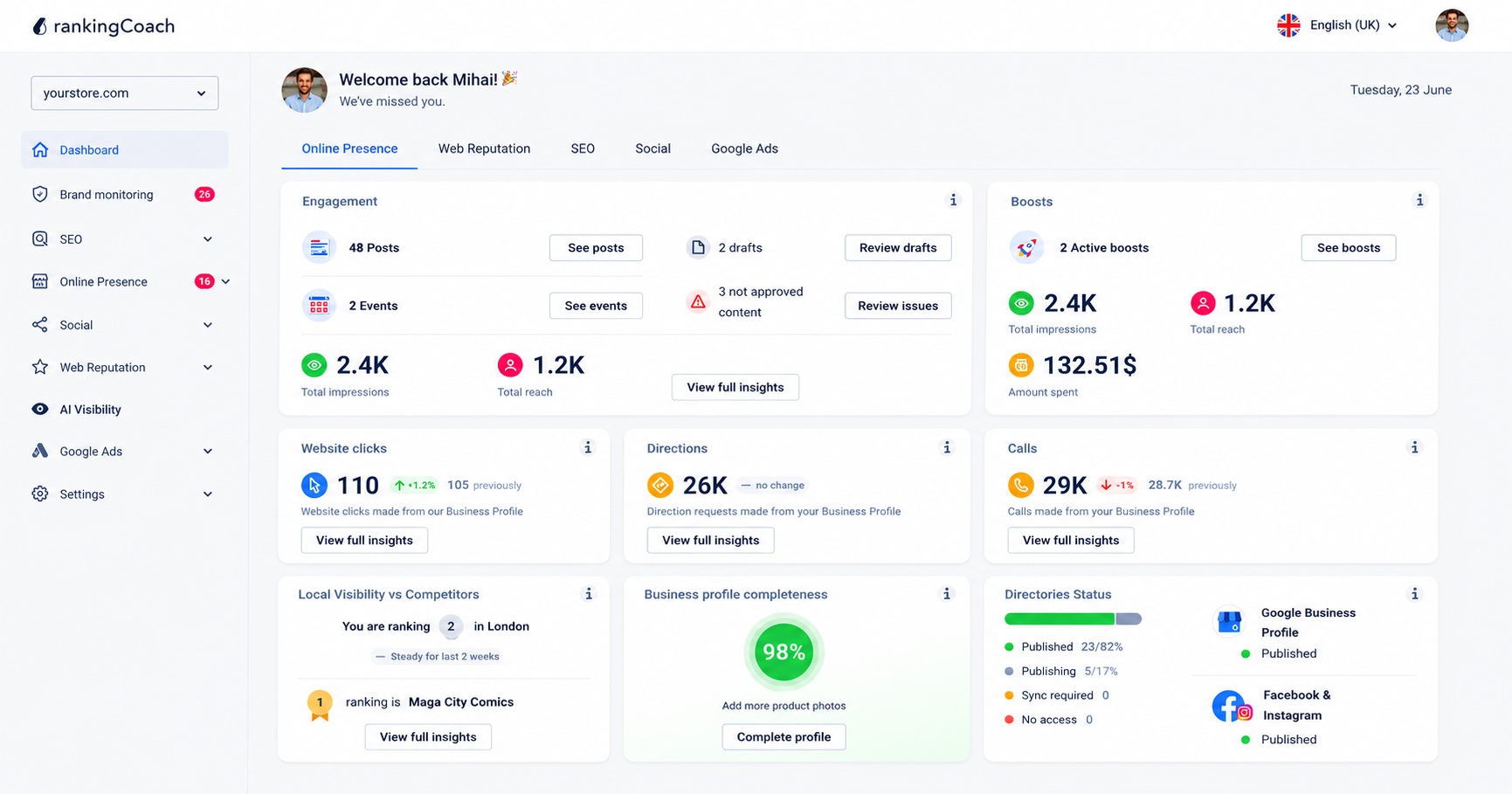
All major Content Management Systems (CMSs) are supported by rankingCoach, making your optimization plan the perfect fit for your system.
To get started, create or sign in to your rankingCoach account and follow the onboarding process, selecting Joomla as your CMS when prompted. rankingCoach then analyzes your website and creates a personalized list of SEO tasks based on the opportunities it identifies.
Each task includes step-by-step written instructions and video tutorials tailored to Joomla, helping you understand what needs attention and where to make the changes in your Joomla website.
This can be particularly useful with Joomla because many SEO controls are available but require deliberate configuration. rankingCoach helps prioritize the work rather than leaving you to determine which settings and optimizations to address first.
Depending on your rankingCoach plan, you can also manage other areas of your digital marketing from the same platform.
Key rankingCoach features
- Keyword rank tracking: Monitor where your Joomla site ranks for your target keywords and track movement over time.
- Competitor monitoring: See how your site compares to competitors in search results and identify keywords they rank for that you do not.
- Business listings management: Keep your details accurate and consistent across Google, Bing, Facebook, and 30+ directories automatically.
- Review and reputation management: Monitor reviews across platforms and respond quickly with AI-assisted reply suggestions.
- Social media and Google Ads: Publish social media content, schedule posts, and manage Google Ads campaigns from one dashboard.
- AI Visibility: See how AI-powered search platforms like ChatGPT, Perplexity, and Gemini represent your business and where your visibility has gaps.
- AI Agent: Automate routine SEO and marketing tasks across every channel so your site keeps improving without manual effort.
See how rankingCoach brings it all together →
6. FAQ
What is Joomla?
Joomla is a free, open-source content management system released in 2005. It is used for building websites, membership portals, intranets, and multilingual platforms. Joomla provides flexible content management, multilingual functionality, and granular user permissions.
Is Joomla good for SEO?
Yes. Joomla provides a solid foundation for SEO, including SEF URL support, page metadata controls, canonical URLs, robots directives, multilingual capabilities, and performance settings. However, many features require manual configuration, while requirements such as XML sitemaps and some advanced structured data or social metadata may require additional tools.
Does rankingCoach work with Joomla?
Yes. rankingCoach works with Joomla without requiring a rankingCoach plugin or extension in your Joomla site. Create or sign in to your rankingCoach account and follow the onboarding process, selecting Joomla as your CMS when prompted. rankingCoach then provides SEO tasks, written instructions, and video tutorials tailored to Joomla.
What does rankingCoach offer for small businesses?
rankingCoach brings SEO and other digital marketing activities into one platform for small and medium-sized businesses. Depending on your subscription, this can include SEO guidance and tracking, local listings, reputation management, social media, Google Ads, brand monitoring, and AI Visibility.
Can rankingCoach help me rank higher on Google?
Yes. rankingCoach identifies SEO opportunities and turns them into prioritized tasks while tracking your keyword positions over time. Its guidance helps you understand what to optimize and where to make changes in your Joomla site. Ranking improvements depend on factors such as your starting position, competition, website quality, and how consistently you optimize your site.
7. Get Started with rankingCoach
Joomla gives you considerable control over SEO, but knowing which settings and optimizations to prioritize can be challenging. rankingCoach analyzes your website and turns identified SEO opportunities into a clear action plan.
All major Content Management Systems (CMSs) are supported by rankingCoach, making your optimization plan the perfect fit for your system. Create or sign in to your rankingCoach account and follow the onboarding process, selecting Joomla as your CMS when prompted. rankingCoach then provides personalized SEO tasks with written instructions and video tutorials tailored to Joomla.
Whether you want to improve existing rankings, discover new keyword opportunities, or better understand your competitors and search performance, rankingCoach gives you the guidance and tracking tools to keep moving forward.