
Magento SEO: A Practical Guide for Small Businesses
Magento is a powerful ecommerce platform that gives businesses extensive control over their store, but that flexibility also makes SEO more complex. Without the right configuration, issues such as duplicate URLs, faceted navigation, performance, and international targeting can make it harder for search engines to crawl and understand your store.
This guide explains Magento SEO best practices, the platform’s capabilities and common challenges, what you should optimize, and how rankingCoach can help you track and improve your search visibility.

Table of Contents
- What Is Magento?
- Magento SEO: Challenges and Built-In Capabilities
- How to Do SEO on Your Magento Store
- How to Track Your Magento SEO Progress
- How rankingCoach Helps Magento Stores
- FAQ
- Get Started with rankingCoach
1. What Is Magento?
Magento Open Source is a free, open-source ecommerce platform first released in 2008. Adobe acquired Magento in 2018 and also offers Adobe Commerce, a commercial ecommerce platform built on the same foundation for businesses with more complex requirements.
Magento provides extensive customization, catalog management, and multi-store and multi-language capabilities. Its ecosystem of developers, agencies, themes, extensions, and integrations also allows businesses to extend the platform significantly.
This flexibility is one of Magento’s biggest strengths, but it also means store owners have more technical and SEO decisions to manage.
2. Magento SEO: Challenges and Built-In Capabilities
Magento provides extensive SEO controls, but many of them need to be configured correctly. For larger stores in particular, seemingly small configuration choices can affect thousands of URLs.
What Magento provides
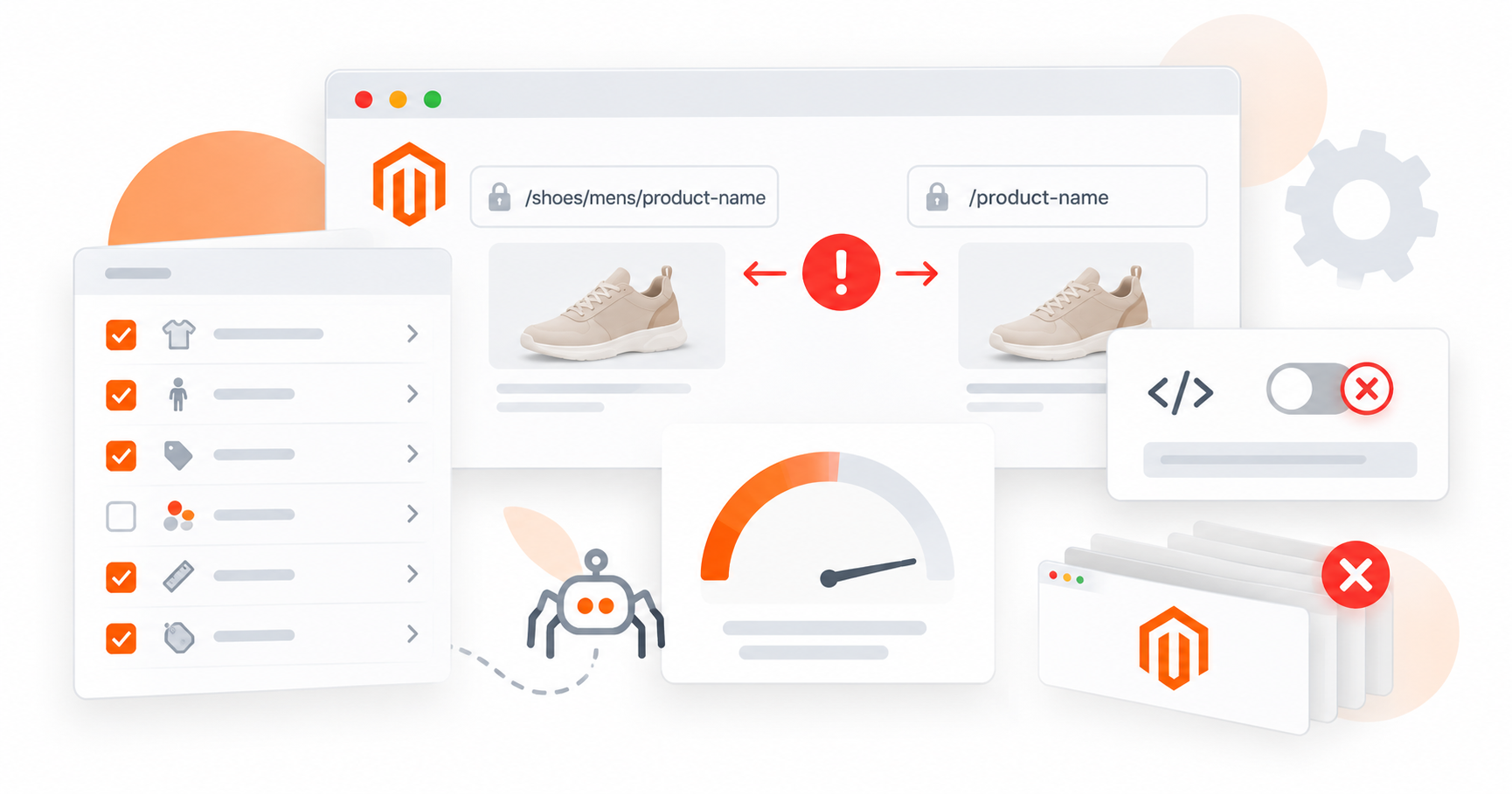
Magento gives store owners control over many important SEO elements, including:
- Page titles and meta descriptions
- SEO-friendly URLs
- Canonical tags for products and categories
- XML sitemaps
- robots.txt configuration
- Redirects and URL rewrites
- Product and category content
- Image alt text
- Some structured data
- Multi-store and multi-language functionality
- Caching and performance settings
These features provide a strong SEO foundation, but Magento’s flexibility also creates several areas that require careful management.
Duplicate product URLs
Products can be accessible through different category paths, creating multiple URLs for essentially the same content. If canonicalization and URL settings are not configured correctly, search engines may struggle to identify the primary version.
Layered navigation can create excessive URLs
Magento’s faceted navigation lets shoppers filter products by attributes such as size, color, price, and brand. These combinations can generate large numbers of low-value URLs, making crawl and index management particularly important for stores with extensive catalogs.
Canonical settings require attention
Review Magento’s canonical settings for products and categories and make sure canonical tags are enabled where appropriate. This helps search engines identify the preferred URL when the same or similar content can be reached through multiple paths.
International SEO requires additional configuration
Magento supports multiple languages and regions through Store Views, but more complex international stores may require additional configuration, extensions, or custom implementation for elements such as hreflang.
Performance can become challenging
Magento can be resource-intensive, particularly for large catalogs and stores using numerous extensions or complex themes. Images, JavaScript, database size, caching, themes, extensions, and hosting infrastructure can all affect performance and Core Web Vitals.
Large stores require ongoing technical maintenance
As catalogs and URL structures grow, redirects, URL rewrites, indexing rules, and other technical elements become more complex. Larger Magento stores therefore require ongoing monitoring and maintenance.
3. How to Do SEO on Your Magento Store

Once you understand Magento’s technical risks, start with the platform’s core SEO configuration before moving on to content and ongoing optimization.
Configure canonical URLs
Review canonical settings for products and categories. Correct canonicalization helps search engines understand which version of a page should be treated as authoritative when similar URLs exist.
Create clean product URLs
Review whether category paths should appear in your product URLs. Including category paths can create multiple URLs for the same product, so choose a consistent structure and configure canonical tags appropriately. Keep URLs descriptive, readable, and stable wherever possible.
Control faceted navigation
Review the URLs created by product filters and decide which combinations should be available to search engines.
This becomes increasingly important as your catalog grows because uncontrolled filter combinations can create large numbers of low-value URLs.
Optimize titles and meta descriptions
Create descriptive metadata for important products, categories, and CMS pages. Magento provides options for generating metadata from product attributes, but your most important landing pages should still be reviewed individually.
How to edit the meta description of a Magento page
Generate and submit your XML sitemap
Create an XML sitemap containing the products, categories, and CMS pages you want search engines to discover. Keep it updated as your catalog changes and submit it through Google Search Console.
Write original product and category content
Avoid relying entirely on manufacturer descriptions that may appear on other websites.
Create useful product copy that answers buyer questions and explains important features and benefits. Category pages should also provide enough context for shoppers and search engines to understand what they contain.
Target relevant long-tail keywords
Product pages often have better opportunities around specific, purchase-focused searches than extremely broad terms. Use keyword research to understand how potential customers describe the products they are looking for and incorporate relevant terms naturally into your content and metadata.
Optimize images
Compress unnecessarily large product images, use descriptive alt text, and use meaningful filenames where practical. Also review how images affect page-loading performance, particularly on image-heavy product and category pages.
Build internal links
Connect related categories, products, guides, and other useful content using descriptive internal links. This helps shoppers discover relevant pages while making your store structure easier for search engines to understand.
Improve store performance
Use Magento’s caching and performance options appropriately and monitor how your theme, extensions, images, and third-party scripts affect loading times.
Stores with persistent performance issues may require deeper development or infrastructure improvements.
Use structured data
Review the structured data already generated by your Magento implementation before adding additional schema. Any markup you add should accurately represent information visible on the page.
Maintain your URL structure
Large Magento stores can accumulate redirects and URL rewrite entries over time. Review them periodically and remove unnecessary or outdated entries where appropriate.
4. How to Track Your Magento SEO Progress
SEO improvements matter when they lead to greater visibility, qualified traffic, and business results. Use several data sources together to understand how your Magento store is performing.
Google Search Console
Connect your store to Google Search Console to monitor impressions, clicks, average positions, indexing issues, and Core Web Vitals. This gives you a direct view of how Google discovers and displays your pages.
Keyword rankings
Track important product and category keywords over time rather than focusing on individual daily movements. Longer-term trends can reveal which pages are gaining visibility and which may need additional optimization.
Organic traffic and revenue
Use Google Analytics to understand what visitors do after arriving through organic search. Monitor organic landing pages, engagement, conversions, and revenue to determine whether increased visibility is translating into meaningful business results.
Core Web Vitals
Monitor performance through Google Search Console and PageSpeed Insights. Pay particular attention to important templates such as product and category pages because problems at template level can potentially affect large parts of your store.
Competitor performance
Your own ranking and traffic data only tell part of the story. Monitoring competing stores can help identify keyword opportunities you may be missing and provide context for changes in your own search visibility.
Local visibility and reviews
If your Magento store is connected to a physical business, also monitor your Google Business Profile, business information, reviews, and ratings to understand your visibility beyond traditional organic search.
With a rankingCoach account, you can track keyword positions and competitor performance alongside your SEO tasks, helping you connect changes in visibility with the optimizations you are working on.
Track your Magento SEO progress with rankingCoach →
5. How rankingCoach Helps Magento Stores
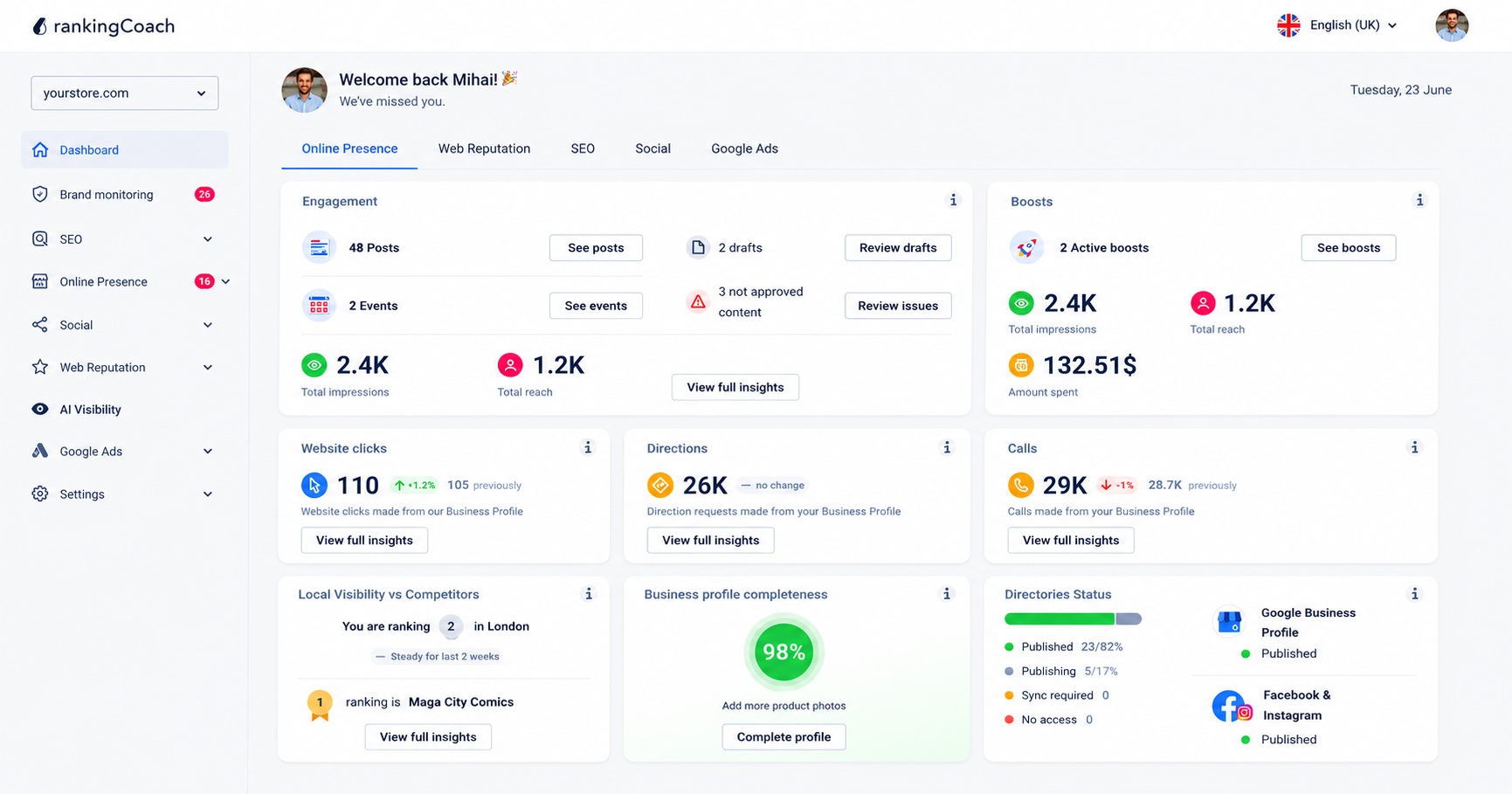
All major Content Management Systems (CMSs) are supported by rankingCoach, making your optimization plan the perfect fit for your system.
To get started, create or sign in to your rankingCoach account and follow the onboarding process, selecting Magento as your CMS when prompted. rankingCoach then analyzes your website to identify SEO opportunities and create a personalized optimization plan.
Instead of leaving you to interpret SEO data on your own, rankingCoach turns its analysis into prioritized tasks. Each task includes written instructions and video tutorials tailored to Magento, helping you understand what needs attention and where to make the changes in your Magento store.
This can be particularly useful with Magento because the platform gives you extensive SEO control but also requires decisions about URLs, metadata, content, indexing, and technical configuration.
Depending on your rankingCoach plan, you can also manage other areas of your digital marketing from the same platform.
Key rankingCoach features
- Keyword rank tracking: Monitor where your Magento store ranks for target keywords and track changes over time.
- Competitor monitoring: Compare your search performance with competitors and identify keyword opportunities.
- Business listings management: Keep your business information consistent across Google, Bing, Facebook, and 30+ directories.
- Review and reputation management: Monitor reviews and respond efficiently with AI-assisted reply suggestions.
- Social media and Google Ads: Create and schedule social content and manage Google Ads campaigns.
- AI Visibility: Understand how AI-powered platforms such as ChatGPT, Perplexity, and Gemini represent your business and identify visibility gaps.
- AI Agent: Automate supported SEO and marketing activities from rankingCoach.
Explore everything rankingCoach can do →
6. FAQ
How do I do SEO on Magento?
Start with Magento’s core SEO configuration: create clean URLs, configure canonical tags, optimize titles and meta descriptions, manage faceted navigation, and submit an XML sitemap. Then improve your product and category content, internal linking, structured data, and images. Monitor the results through Google Search Console, analytics, and keyword tracking.
How do I optimize my Magento website?
Website optimization goes beyond SEO settings. Review your store’s technical performance, theme, extensions, images, caching, navigation, and content quality alongside your search configuration. Prioritize improvements that make important product and category pages faster, easier to crawl, and more useful to shoppers.
How do I speed up my Magento site?
Improve Magento performance by using appropriate caching, optimizing images, reducing unnecessary JavaScript and CSS, reviewing resource-heavy extensions, and using suitable hosting and CDN infrastructure. Test important product and category pages with PageSpeed Insights to identify the specific issues affecting your store before making changes.
Does rankingCoach work with Magento?
Yes. rankingCoach works with Magento Open Source and Adobe Commerce. Create or sign in to your rankingCoach account and follow the onboarding process, selecting Magento as your CMS when prompted. rankingCoach then provides SEO tasks, written instructions, and video tutorials tailored to Magento.
What does rankingCoach offer for small businesses?
rankingCoach brings SEO and other digital marketing activities into one platform for small and medium-sized businesses. Depending on your subscription, this can include SEO guidance and tracking, local listings, reputation management, social media, Google Ads, brand monitoring, and AI Visibility.
7. Get Started with rankingCoach
Magento gives you extensive control over SEO, but that also means there can be a lot to manage. rankingCoach helps turn those possibilities into a clear plan by analyzing your website, identifying opportunities, and prioritizing what to work on next.
All major Content Management Systems (CMSs) are supported by rankingCoach, making your optimization plan the perfect fit for your system. Create or sign in to your rankingCoach account and follow the onboarding process, selecting Magento as your CMS when prompted. rankingCoach then provides personalized SEO tasks with written instructions and video tutorials tailored to Magento.
Whether you want to improve existing rankings, identify new keyword opportunities, or better understand your competitors and search performance, rankingCoach gives you the guidance and tracking tools to keep moving forward.