---
title: "IONOS MyWebsite Now: A Practical SEO Guide for Small Businesses"
description: Learn how to improve SEO for your MyWebsite Now site. What the builder covers, where the gaps are, and how rankingCoach helps you rank higher.
---
[](https://www.rankingcoach.com/en-us)
- [Features](https://www.rankingcoach.com/en-us/features?utm_source=rc_blog)
- [Pricing](https://www.rankingcoach.com/en-us/pricing?utm_source=rc_blog)
- [Partners](https://www.rankingcoach.com/en-us/partners?utm_source=rc_blog)
- [Blog](https://blog.rankingcoach.com/en)
Back
Close
- [Home](https://www.rankingcoach.com/en-us?utm_source=rc_blog)
- [Features](https://www.rankingcoach.com/en-us/features?utm_source=rc_blog)
- [Pricing](https://www.rankingcoach.com/en-us/pricing?utm_source=rc_blog)
- [Partners](https://www.rankingcoach.com/en-us/partners?utm_source=rc_blog)
- [Blog](https://blog.rankingcoach.com/en)
# **IONOS MyWebsite Now: A Practical SEO Guide for Small Businesses**

Having a website is only the first step. To attract potential customers through Google and other search engines, your pages also need to be easy to discover, understand, and navigate. IONOS MyWebsite Now gives small businesses and freelancers a straightforward way to build and manage a website without coding. But getting the most from SEO still requires the right content, keywords, structure, and ongoing optimization.
This guide shows you how to improve SEO on MyWebsite Now, which SEO capabilities are built into the platform, where its limitations are, and how rankingCoach can help you improve and track your search visibility.
## Table of Contents
1. [What Is MyWebsite Now?](https://go.rankingcoach.com/en/cms/seo-digital-marketing-11-mywebsite#what-is-ionos-mywebsite-now)
2. [MyWebsite Now SEO: Built-In Features and Limitations](https://go.rankingcoach.com/en/cms/seo-digital-marketing-11-mywebsite#ionos-seo-built-in-features-and-limitations)
3. [How to Do SEO on MyWebsite Now](https://go.rankingcoach.com/en/cms/seo-digital-marketing-11-mywebsite#how-to-do-seo-on-ionos-mywebsite-now)
4. [How to Track Your SEO Progress](https://go.rankingcoach.com/en/cms/seo-digital-marketing-11-mywebsite#how-to-track-your-ionos-seo-progress)
5. [How rankingCoach Helps with MyWebsite Now SEO](https://go.rankingcoach.com/en/cms/seo-digital-marketing-11-mywebsite#how-rankingcoach-helps-ionos-websites)
6. [MyWebsite Now SEO: Frequently Asked Questions](https://go.rankingcoach.com/en/cms/seo-digital-marketing-11-mywebsite#ionos-seo-frequently-asked-questions)
7. [Get Started with rankingCoach](https://go.rankingcoach.com/en/cms/seo-digital-marketing-11-mywebsite#get-started-with-rankingcoach)
## 1. What Is MyWebsite Now?
MyWebsite Now is the current website builder from IONOS, the European hosting and digitalization company formerly known as 1&1.
It is designed for small businesses, freelancers, and local service providers that want to create and manage a website without writing code. The platform combines hosted infrastructure, SSL, responsive design, drag-and-drop editing, and AI-assisted website creation.
MyWebsite Now also provides several useful SEO controls. Users can manage SEO titles and descriptions, organize content with H1 through H6 headings, optimize images with alt text, and manage important page settings directly through the editor.
AI-assisted functionality can also help generate SEO titles and descriptions on eligible MyWebsite Now packages.
Older IONOS customers may still use previous generations of the website builder, including MyWebsite Creator. The exact settings and functionality available can therefore differ depending on the version and package being used.
## 2. MyWebsite Now SEO: Built-In Features and Limitations
MyWebsite Now provides a useful SEO foundation for small business websites while handling much of the underlying technical setup automatically.
### What MyWebsite Now provides
Depending on your package and website configuration, useful SEO capabilities include:
- Editable SEO titles and descriptions
- AI-assisted SEO title and description suggestions
- H1 through H6 heading controls
- Editable page settings and URLs
- Image alt text
- Automatically managed technical SEO elements
- SSL and HTTPS
- Responsive website design
- Search engine verification options
- AI-assisted website and content creation
These features cover many everyday SEO requirements without requiring users to install a separate SEO plugin.
### SEO titles and descriptions
MyWebsite Now lets you create SEO titles and descriptions for individual pages.
These fields help search engines and potential visitors understand what a page is about. Keep them concise, descriptive, and relevant to the content rather than treating specific character counts as strict requirements.
On eligible packages, MyWebsite Now can also use AI to suggest SEO titles and descriptions based on the content and topic of the page.
SEO tutorial: How to edit the meta title of a MyWebsite Now page
### Heading structure control
For page structure, the editor supports semantic headings from H1 through H6.
Use headings to create a logical hierarchy: the H1 should describe the main topic of the page, while H2s and lower-level headings can organize related sections and subsections.
A clear structure makes longer pages easier for visitors, screen readers, and search engines to understand.
### Advanced structured data control is limited
Direct control over Schema.org markup is more limited than with extensible content management systems.
For most small business websites, the platform handles many technical elements automatically. Businesses that need specialized or highly customized structured data may require additional technical solutions.
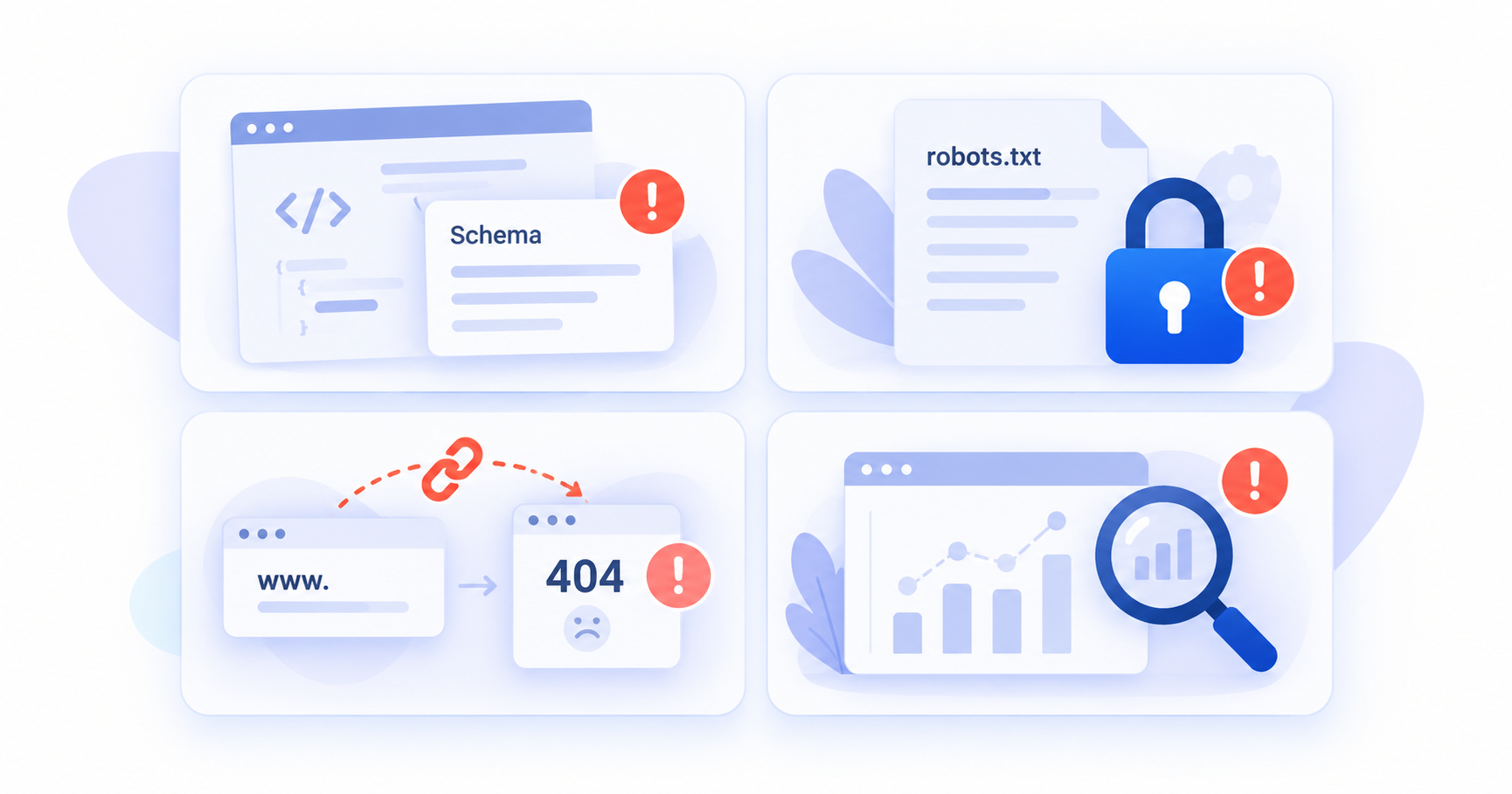
### Advanced crawl and server controls are limited
MyWebsite Now manages much of the technical website configuration automatically. Users do not have FTP or .htaccess access, which means advanced server-level SEO configurations are more limited than on self-hosted CMS platforms.
### URL and redirect management is less flexible
Page URLs can be managed within the platform, although server-level redirect configuration such as .htaccess is not available. Plan important URLs carefully and check the redirect options available for your specific MyWebsite Now setup before changing established page addresses.
### No dedicated keyword rank tracker
MyWebsite Now provides tools for optimizing your pages but does not provide the same type of dedicated keyword rank tracking used to consistently monitor specific Google search positions over time.
If keyword rankings are an important KPI, use a dedicated rank tracking solution alongside your IONOS website.
## 3. How to Do SEO on MyWebsite Now
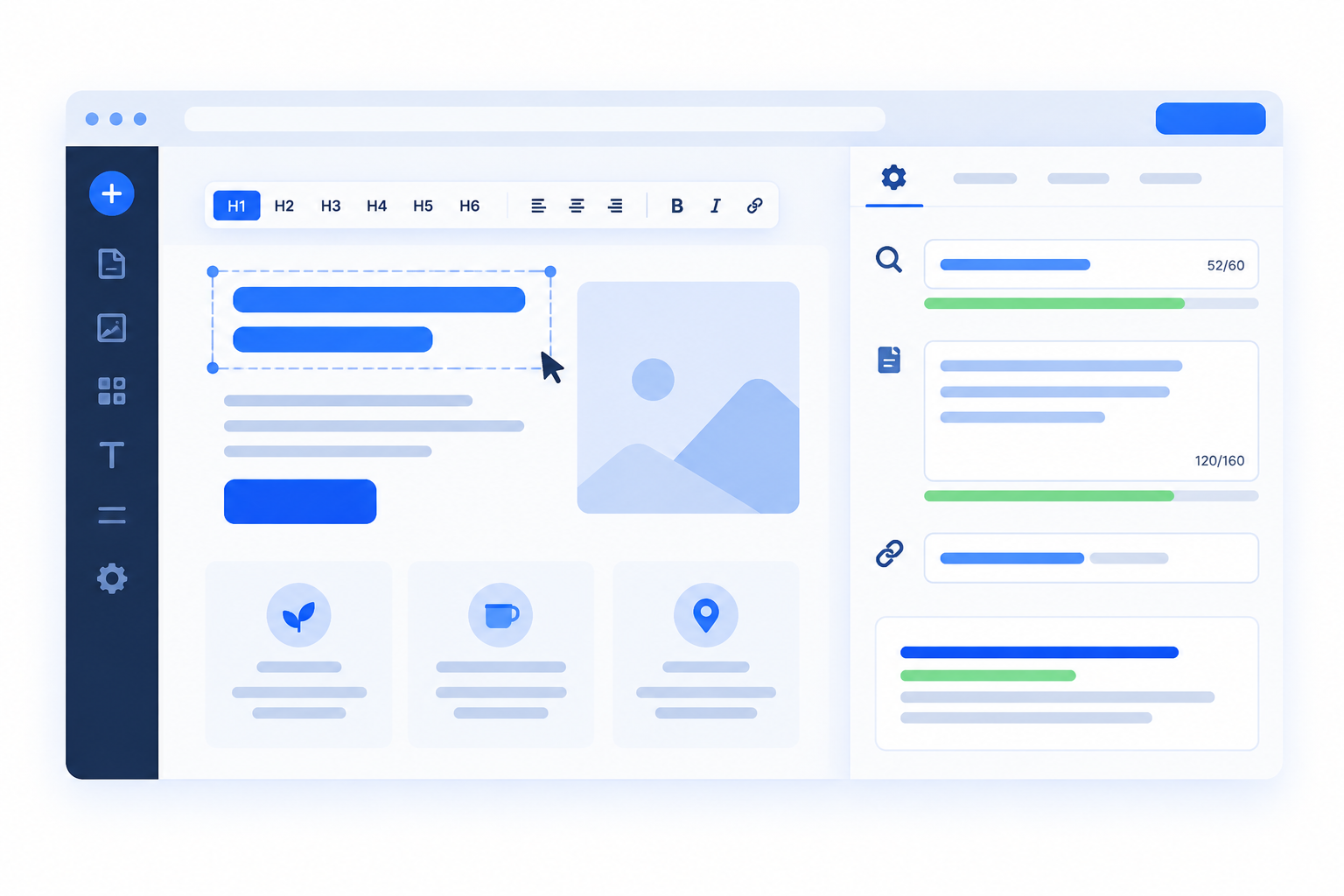
MyWebsite Now handles much of the technical foundation, but your content, keywords, metadata, headings, internal links, and website structure still require deliberate optimization.
### Set SEO titles and descriptions
Create a unique SEO title and description for each important page.
Your title should clearly communicate the main topic of the page, while the description should accurately summarize what visitors will find there.
Use relevant search terms naturally where they help describe the content. Avoid forcing keywords into titles or descriptions purely for SEO.
If your MyWebsite Now package includes AI-assisted SEO functionality, you can use it to generate suggestions and then review and adapt them before publishing.
### Organize content with headings
Use MyWebsite Now’s H1 through H6 controls to create a logical page hierarchy.
Use the H1 for the main page topic, followed by H2s for major sections and lower-level headings where additional structure is useful.
Choose headings based on the structure and meaning of the content rather than their visual appearance.
### Review your page URLs
Review automatically generated page URLs and edit them when they are unnecessarily long, unclear, or do not accurately describe the page.
Keep URLs readable and descriptive. Avoid changing established URLs simply because they were generated automatically.
If an existing URL needs to change, check the redirect options available for your specific MyWebsite version and package before making the change.
### Add descriptive alt text to images
Add concise, meaningful alt text to relevant images. On eligible packages, MyWebsite Now can also generate alt-text suggestions with AI, which you can review and edit.
SEO tutorial: How to add alt text to images in MyWebsite Now
### Create useful content around relevant searches
Think about the questions and problems potential customers search for and create pages that answer them clearly.
A local service business, for example, might create separate pages for its main services and useful supporting content answering common customer questions.
Use relevant search terms naturally in titles, headings, and body content where they accurately describe the topic rather than following a rigid keyword-placement formula.
### Build internal links
Connect related pages using descriptive internal links.
Link from supporting content to relevant service or product pages and make important pages easy to reach through your website navigation.
Internal links help visitors discover related information and help search engines understand relationships between pages.
### Connect Google Search Console
Verify your website with Google Search Console to monitor:
- Search queries
- Impressions
- Clicks
- Average positions
- Indexed pages
- Indexing issues
Your website’s sitemap can also help search engines discover its pages. Use Search Console to monitor whether important content is being indexed correctly.
### Review your mobile experience
MyWebsite Now is designed to create responsive websites, but you should still review important pages on different screen sizes.
Check navigation, text readability, images, buttons, forms, and other interactive elements to make sure the website remains easy to use on mobile devices.
### Monitor website performance
Use PageSpeed Insights and Core Web Vitals data to identify performance issues on important pages.
Images, embedded content, third-party functionality, and other page elements can affect performance even when IONOS handles the underlying hosting and technical infrastructure.
With a rankingCoach account, you can receive personalized SEO guidance based on your website and target keywords, helping you understand which optimizations to prioritize.
[See how rankingCoach helps with your SEO →](https://www.rankingcoach.com/en-us/seo)
## 4. How to Track Your SEO Progress
Optimizing your website is only part of SEO. You also need to understand whether those changes are improving your search visibility and bringing relevant visitors to your business.
### Google Search Console
Use Google Search Console to monitor how your IONOS website performs in Google Search.
Review search queries, impressions, clicks, average positions, and indexing information to identify pages that are gaining visibility and pages that may need further work.
### Google Analytics
Google Analytics can help you understand what visitors do after reaching your website.
Monitor organic landing pages, engagement, conversions, and other relevant metrics to determine whether increased search visibility is attracting visitors who take meaningful actions.
### Keyword rankings
MyWebsite Now does not provide a dedicated traditional keyword rank tracker.
Track your important target keywords over time to understand whether individual pages are gaining or losing search visibility.
Focus on longer-term trends rather than individual daily movements, since rankings naturally fluctuate.
### Competitor performance
Your own rankings only show part of what is happening in search results.
Monitoring competitors can help you identify keywords where other businesses are performing well, discover content opportunities, and understand how your visibility compares with businesses targeting the same audience.
### Local visibility
If your website represents a local business, monitor your Google Business Profile and relevant business directories alongside your website.
Keep your business name, contact information, opening hours, and other important details accurate so customers and platforms receive reliable information about your business.
### Online reputation
Monitor customer reviews and respond to feedback regularly.
Reviews can influence how potential customers perceive your business and are particularly important for companies competing for local customers.
With a rankingCoach account, you can track keyword positions and competitor performance alongside your SEO tasks, helping you connect changes in visibility with the optimizations you are working on.
[**Explore keyword rank tracking with rankingCoach →**](https://www.rankingcoach.com/en-us/seo)
## 5. How rankingCoach Helps with MyWebsite Now SEO
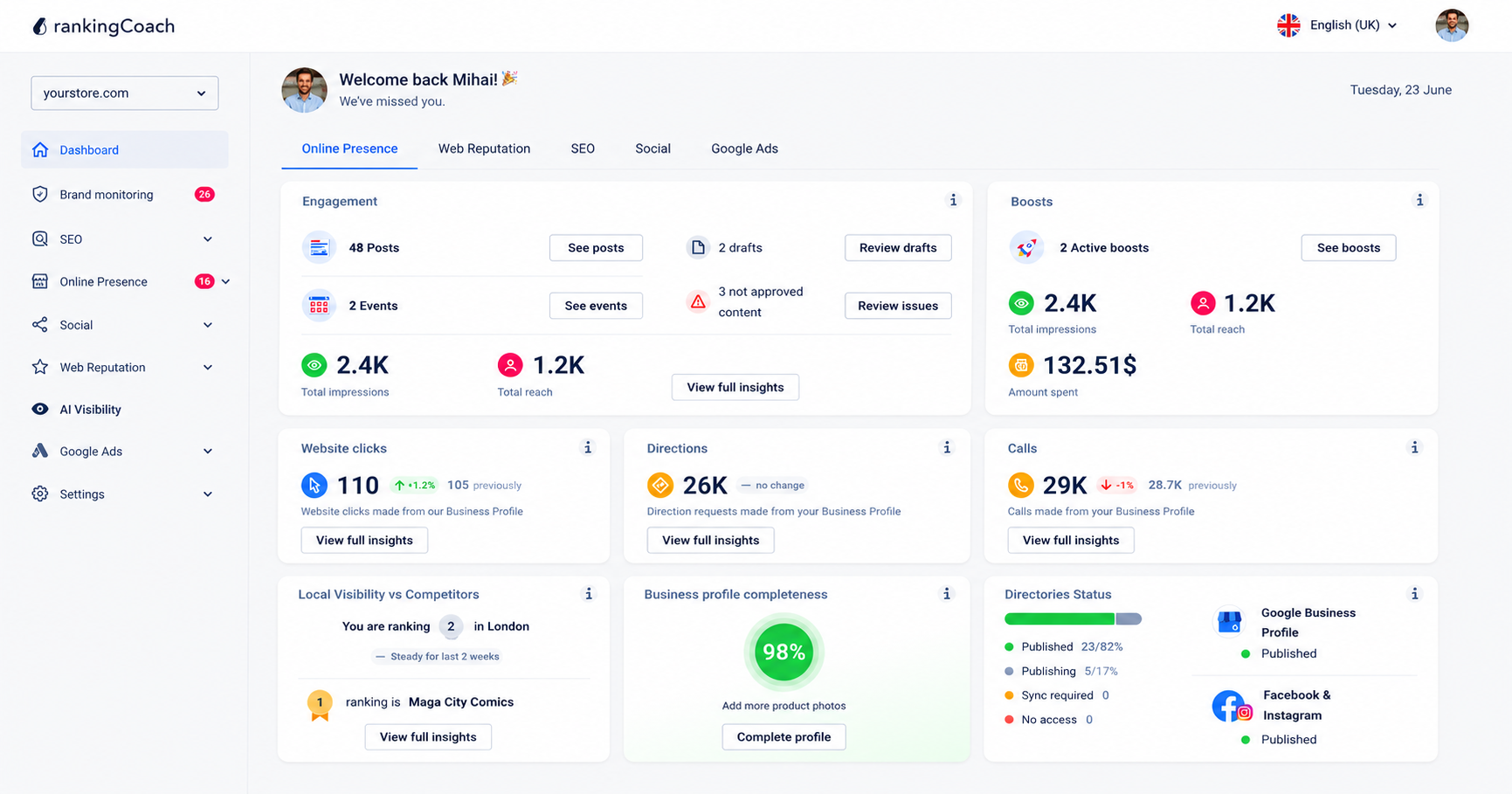
All major Content Management Systems (CMSs) are supported by rankingCoach, making your optimization plan the perfect fit for your system. To get started, create or sign in to your rankingCoach account and follow the onboarding process. rankingCoach analyzes your website and identifies SEO opportunities, helping you understand which optimizations to prioritize and how to implement them.
This complements the SEO functionality already available in MyWebsite Now. While IONOS provides tools for optimizing individual pages, rankingCoach helps you manage your SEO work and monitor areas such as keyword rankings and competitor performance.
Depending on your rankingCoach plan, you can also manage other areas of your digital marketing from the same platform.
### Key rankingCoach features
- **Keyword rank tracking:** Monitor where your website ranks for your target keywords and track movement over time.
- **Competitor monitoring:** Compare your search visibility with competitors and identify keyword opportunities.
- **Business listings management:** Keep your business information accurate and consistent across Google, Bing, Facebook, and 30+ directories.
- **Review and reputation management:** Monitor reviews across platforms and respond efficiently with AI-assisted reply suggestions.
- **Social media and Google Ads:** Manage supported social media activities and Google Ads from rankingCoach.
- **AI Visibility:** Monitor how AI-powered platforms such as ChatGPT, Perplexity, and Gemini represent your business and identify visibility opportunities.
- **AI Agent:** Automate supported SEO and marketing activities from rankingCoach.
[**See how rankingCoach brings it all together →**](https://www.rankingcoach.com/en-us/features)
## 6. MyWebsite Now: Frequently Asked Questions
**What is MyWebsite Now?**
MyWebsite Now is IONOS’s current website builder for creating websites without coding. It combines hosted infrastructure, responsive design, drag-and-drop editing, and AI-assisted functionality for website creation, content, and SEO. Older IONOS customers may still use previous generations of the website builder, including MyWebsite Creator.
**How do I do SEO on MyWebsite Now?**
Start by creating descriptive SEO titles and descriptions for your important pages. Organize your content with a logical heading hierarchy, review page URLs, add descriptive alt text to relevant images, create useful content around relevant search topics, and build internal links between related pages. Connect Google Search Console to monitor indexing and search performance, and use a dedicated rank tracking tool if you want to follow specific keyword positions over time.
**Can I track keyword rankings in MyWebsite Now?**
MyWebsite Now does not provide the same type of dedicated keyword rank tracking used to consistently monitor specific Google keyword positions over time. You can use Google Search Console for search-performance data and a dedicated rank tracking platform such as rankingCoach to follow individual target keywords and monitor longer-term ranking changes.
**Does rankingCoach work with MyWebsite Now websites?**
Yes. rankingCoach supports all major content management systems and website builders, including IONOS MyWebsite Now. Create or sign in to your rankingCoach account and follow the onboarding process. rankingCoach analyzes your website and provides personalized SEO tasks and guidance to help you improve your search visibility.
**How rankingCoach Helps with MyWebsite Now SEO?**
rankingCoach analyzes your website and identifies SEO opportunities to help you prioritize your optimization work. Depending on your subscription, you can also use rankingCoach for keyword rank tracking, competitor monitoring, local listings, reputation management, social media, Google Ads, brand monitoring, and AI Visibility.
## 7. Get Started with rankingCoach
MyWebsite Now provides a useful technical foundation for small business SEO, including metadata controls, heading structure, responsive design, and AI-assisted optimization features.
Improving your search visibility still requires knowing which pages and keywords to prioritize and understanding whether your optimizations are working.
rankingCoach helps turn identified SEO opportunities into a clear action plan so you know what to work on next.
Create or sign in to your rankingCoach account and follow the onboarding process. rankingCoach analyzes your website and provides personalized SEO tasks and guidance to help you improve your search visibility.
Whether you want to improve existing rankings, discover new keyword opportunities, monitor competitors, or strengthen your wider online presence, rankingCoach gives you the guidance and tracking tools to keep moving forward.
[**Discover rankingCoach SEO for IONOS →**](https://www.rankingcoach.com/en-us/seo)
- - Features
- [Local Marketing](https://www.rankingcoach.com/en-us/local-marketing?utm_source=rc_blog)
- [Google Ads](https://www.rankingcoach.com/en-us/google-ads?utm_source=rc_blog)
- [Search Engine Optimization (SEO)](https://www.rankingcoach.com/en-us/seo?utm_source=rc_blog)
- [Reputation management](https://www.rankingcoach.com/en-us/local-marketing?utm_source=rc_blog)
- [Social Media Monitoring](https://www.rankingcoach.com/en-us/features?utm_source=rc_blog)
- [Brand Monitoring](https://www.rankingcoach.com/en-us/features?utm_source=rc_blog)
- - About
- [Legal Notice](https://www.rankingcoach.com/en-us/legal-notice?utm_source=rc_blog)
- [Terms and Conditions](https://www.rankingcoach.com/en-us/terms-and-conditions?utm_source=rc_blog)
- [Privacy Policy](https://www.rankingcoach.com/en-us/privacy-policy?utm_source=rc_blog)
- [Cancellation and Refund](https://www.rankingcoach.com/en-us/cancellation-refund-policy)
- [About Us](https://www.rankingcoach.com/en-us/about-us?utm_source=rc_blog)
- [Glossary](https://knowledge.rankingcoach.com/en)
- [Press](https://go.rankingcoach.com/en/pr)
- [Privacy & Cookie Settings](https://www.rankingcoach.com/en-us#)
- - Help
- [Help Center](https://help.rankingcoach.com/en?utm_source=rc_blog)
- [Contact](https://www.rankingcoach.com/en-us/contact?utm_source=rc_blog)
- Careers
- [We are hiring](https://www.linkedin.com/company/rankingcoach/jobs/?utm_source=rc_blog)
- - Digital Marketing Guides
- [Search Engine Marketing](https://www.rankingcoach.com/en-us/search-engine-marketing)
- [Search Engine Optimization](https://www.rankingcoach.com/en-us/search-engine-optimization)
- [Social Media Marketing](https://www.rankingcoach.com/en-us/social-media-marketing)
- [Email Marketing](https://www.rankingcoach.com/en-us/email-marketing)
- [User Experience (UX)](https://www.rankingcoach.com/en-us/user-experience-in-digital-marketing)
- [Review Management](https://www.rankingcoach.com/en-us/review-management)
- - rankingCoach is specially tailored for the following CMSs:
- [WordPress](https://go.rankingcoach.com/en/cms/seo-digital-marketing-wordpress)
- [Drupal](https://go.rankingcoach.com/en/cms/seo-digital-marketing-drupal)
- [Joomla 3.2](https://go.rankingcoach.com/en/cms/seo-digital-marketing-joomla)
- [Magento](https://go.rankingcoach.com/en/cms/seo-digital-marketing-magento)
- [Shopify](https://go.rankingcoach.com/en/cms/seo-digital-marketing-shopify)
- [Squarespace](https://go.rankingcoach.com/en/cms/seo-digital-marketing-squarespace)
- [Webs](https://go.rankingcoach.com/en/cms/seo-digital-marketing-webs)
- [Wix](https://go.rankingcoach.com/en/cms/seo-digital-marketing-wix)
- [Weebly](https://go.rankingcoach.com/en/cms/seo-digital-marketing-weebly)
- [Duda](https://go.rankingcoach.com/en/cms/seo-digital-marketing-duda)
- [PrestaShop 1.6](https://go.rankingcoach.com/en/cms/seo-digital-marketing-prestashop)
- [1&1 MyWebsite](https://go.rankingcoach.com/en/cms/seo-digital-marketing-11-mywebsite)
- [Jimdo](https://go.rankingcoach.com/en/cms/seo-digital-marketing-jimdo)
- [Opencart](https://go.rankingcoach.com/en/cms/seo-digital-marketing-opencart)

-
-
-
```json
{
"@context" : "https://schema.org",
"@type" : "VideoObject",
"contentUrl" : "https://8411010.fs1.hubspotusercontent-eu1.net/hubfs/8411010/video_assets/476195136749/inherited/web_optimized.mp4",
"dateModified" : "2026-09-22T12:20:36.898Z",
"description" : "Learn how to edit the meta title of a MyWebsite Now page.",
"duration" : "PT1M10.733S",
"height" : 1080,
"name" : "MyWebsite Now SEO tutorial - Meta title",
"thumbnailUrl" : "https://8411010.fs1.hubspotusercontent-eu1.net/hubfs/8411010/mywebsite-now-seo-tutorial---meta-title.mp4/medium.jpg",
"uploadDate" : "2026-09-22T12:18:54.670Z",
"width" : 1920
}
```
```json
{
"@context" : "https://schema.org",
"@type" : "VideoObject",
"contentUrl" : "https://8411010.fs1.hubspotusercontent-eu1.net/hubfs/8411010/video_assets/476195720413/inherited/web_optimized.mp4",
"dateModified" : "2026-09-22T12:27:55.784Z",
"description" : "Learn where to find and edit image alt text in your MyWebsite Now website.",
"duration" : "PT57.133S",
"height" : 1080,
"name" : "Adding alt text to images in MyWebsite Now",
"thumbnailUrl" : "https://8411010.fs1.hubspotusercontent-eu1.net/hubfs/8411010/adding-alt-text-to-images-in-mywebsite-now.mp4/medium.jpg",
"uploadDate" : "2026-09-22T12:27:00.688Z",
"width" : 1920
}
```
```json
{
"@context" : "https://schema.org",
"@type" : "FAQPage",
"mainEntity" : [ {
"@type" : "Question",
"acceptedAnswer" : {
"@type" : "Answer",
"text" : "Yes. IONOS MyWebsite Now provides a useful SEO foundation for small business websites, including editable SEO titles and descriptions, H1 through H6 heading controls, image alt text, responsive design, SSL, and sitemap functionality. Eligible packages also include AI-assisted suggestions for SEO titles and descriptions. Businesses that need dedicated keyword rank tracking or more advanced technical SEO controls may need additional tools."
},
"name" : "Is IONOS a good website builder for SEO?"
}, {
"@type" : "Question",
"acceptedAnswer" : {
"@type" : "Answer",
"text" : "IONOS MyWebsite Now is IONOS's current website builder for creating websites without coding. It combines hosted infrastructure, responsive design, drag-and-drop editing, and AI-assisted functionality for website creation, content, and SEO. Older IONOS customers may still use previous generations of the website builder, including MyWebsite Creator."
},
"name" : "What is IONOS MyWebsite Now?"
}, {
"@type" : "Question",
"acceptedAnswer" : {
"@type" : "Answer",
"text" : "Start by creating descriptive SEO titles and descriptions for your important pages. Organize your content with a logical heading hierarchy, review page URLs, add descriptive alt text to relevant images, create useful content around relevant search topics, and build internal links between related pages. Connect Google Search Console to monitor indexing and search performance, and use a dedicated rank tracking tool if you want to follow specific keyword positions over time."
},
"name" : "How do I do SEO on IONOS MyWebsite Now?"
}, {
"@type" : "Question",
"acceptedAnswer" : {
"@type" : "Answer",
"text" : "Yes. All major Content Management Systems (CMSs) are supported by rankingCoach, making your optimization plan the perfect fit for your system. Create or sign in to your rankingCoach account and follow the onboarding process. rankingCoach analyzes your website and provides personalized SEO tasks and guidance to help you improve your search visibility."
},
"name" : "Does rankingCoach work with IONOS websites?"
}, {
"@type" : "Question",
"acceptedAnswer" : {
"@type" : "Answer",
"text" : "rankingCoach analyzes your website and creates a personalized list of SEO tasks to help you prioritize your optimization work. Depending on your subscription, you can also use rankingCoach for keyword rank tracking, competitor monitoring, local listings, reputation management, social media, Google Ads, brand monitoring, and AI Visibility."
},
"name" : "What does rankingCoach do for IONOS SEO?"
}, {
"@type" : "Question",
"acceptedAnswer" : {
"@type" : "Answer",
"text" : "MyWebsite Now does not provide the same type of dedicated keyword rank tracking used to consistently monitor specific Google keyword positions over time. You can use Google Search Console for search-performance data and a dedicated rank tracking platform such as rankingCoach to follow individual target keywords and monitor longer-term ranking changes."
},
"name" : "Can I track keyword rankings in IONOS MyWebsite Now?"
} ]
}
```
```json
{
"@context" : "https://schema.org",
"@type" : "SoftwareApplication",
"applicationCategory" : "BusinessApplication",
"name" : "rankingCoach",
"operatingSystem" : "Web"
}
```